
If you want more views on YouTube in 2026, the secret starts with best YouTube keywords. These are the exact words and phrases people type into YouTube’s search bar when looking for videos like yours. Using the right ones helps your videos show up in search results, get recommended, and attract the right audience without spending money on ads.
What Are Best YouTube Keywords and How They Work
Best YouTube keywords are search terms that match what your target viewers are actually typing into YouTube. They can be broad (like “pasta recipes”) or specific (like “easy one-pot pasta recipe for beginners”).
YouTube works like a giant search engine owned by Google. When someone searches, the algorithm looks at your video’s title, description, tags, captions, and even the words you say in the video. It checks if your content matches the searcher’s intent. If it does and if viewers watch, like, comment, and share YouTube pushes your video higher in results and recommends it to more people.
The result? More views, watch time, and subscribers. Keywords don’t guarantee success alone, but they are the foundation that makes everything else (great thumbnails, engaging content) work better.
Important Fundamentals Beginners Must Understand
Before you start searching for keywords, grasp these core ideas:
- Search volume: How many times people search for a term each month. Higher volume means more potential views but usually more competition.
- Competition: How many other videos already rank well for that keyword. Beginners should target lower-competition keywords first.
- Relevance: The keyword must match your video’s topic. Irrelevant keywords hurt your channel because viewers click away quickly.
- Search intent: What the searcher really wants. Is it a “how-to” tutorial, a review, or entertainment? Match the intent or your video won’t hold attention.
- Long-tail keywords: Longer, specific phrases (3+ words) like “best budget microphone for YouTube beginners 2026.” These usually have lower competition and higher conversion to views.
Remember: YouTube rewards videos that keep people watching longer. Good keywords help you attract the right viewers who stay.
Step-by-Step Guide to Getting Started with Best YouTube Keywords
Follow this exact process for every new video. It takes 15–30 minutes once you’re used to it.
- Brainstorm seed ideas: Write down 5–10 broad topics related to your niche. Example: If your channel is about fitness, seeds could be “home workout,” “weight loss,” or “beginner yoga.”
- Find related keywords: Type your seed into YouTube’s search bar and note the autocomplete suggestions. These are real searches people make.
- Expand with tools (we’ll cover the best ones later): Look for search volume, competition scores, and related ideas.
- Analyze and pick winners: Choose 1 primary keyword (main focus for title) and 3–5 secondary ones (for description and tags). Aim for decent volume + low-to-medium competition.
- Optimize your video:
- Put the primary keyword in the title (naturally, first 60 characters).
- Include it early in the description and repeat related keywords naturally.
- Add it to tags and speak it in the first 15 seconds of your video.
- Use it in your thumbnail text if it fits.
- Upload and monitor: Check YouTube Analytics after 48 hours to see which keywords are driving views. Adjust future videos based on what works.
YouTube Keyword Research, SEO Keywords for YouTube
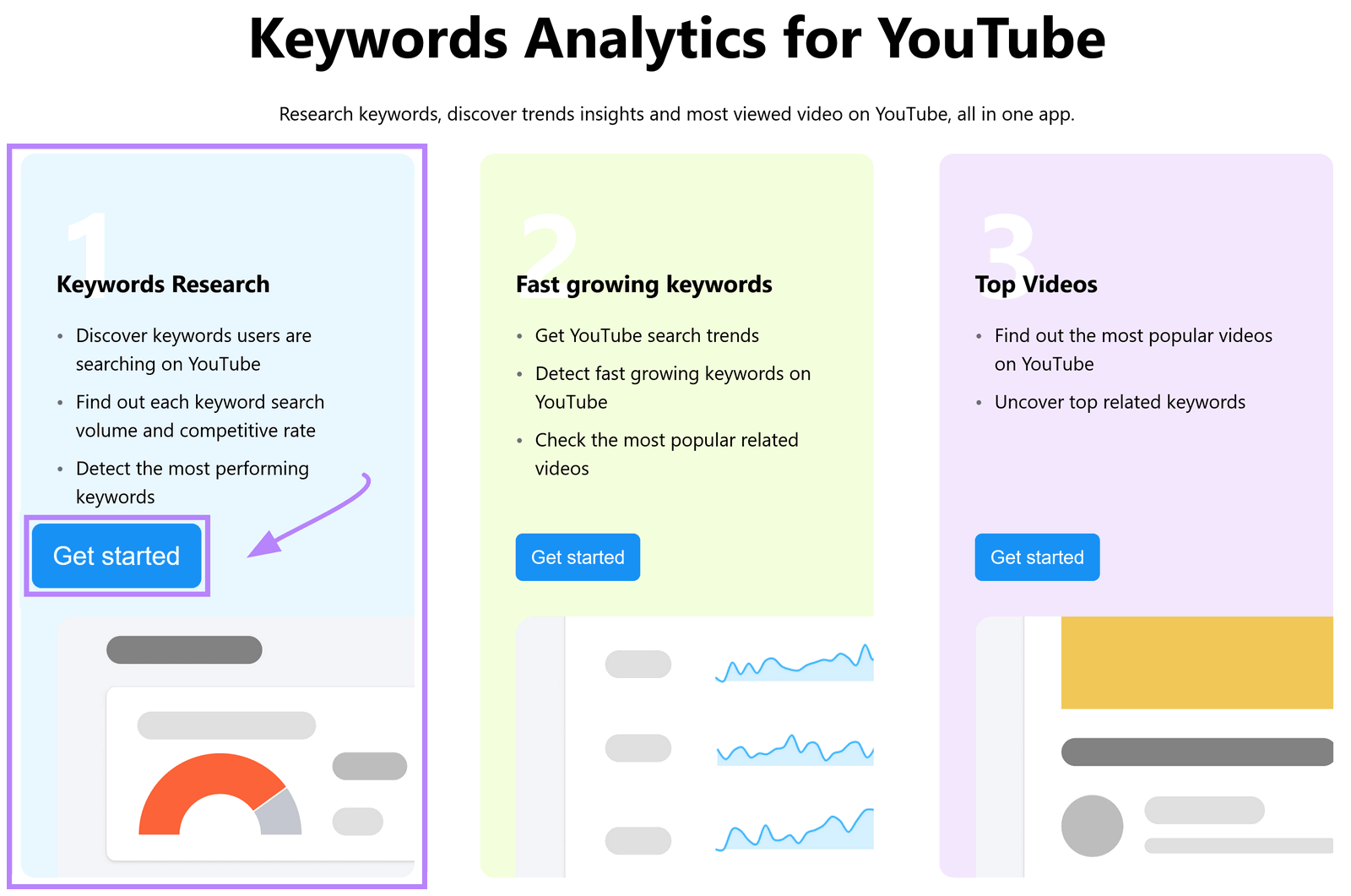
YouTube keyword research is the process of discovering the exact phrases your audience searches for. SEO keywords for YouTube are the same thing applied to your video elements (title, description, tags) to help YouTube understand and rank your content.
The goal is simple: Find keywords with real demand but not too much competition so your videos can rank on page 1. In 2026, focus on long-tail phrases and viewer intent because broad terms are dominated by big channels. Do this research before filming it saves time and boosts results dramatically.
Best Practices and Strategies
- Always prioritize viewer intent over raw search volume.
- Use 1 primary keyword per video. Stuffing too many confuses the algorithm.
- Write titles that are keyword-rich yet click-worthy (e.g., “How to Lose Belly Fat in 30 Days – Beginner Friendly Home Workout”).
- Create keyword clusters: Group related videos around one main topic to build authority.
- Optimize for mobile: Most searches happen on phones, so keep titles under 60 characters.
- Update old videos: Add new keywords to descriptions and titles of evergreen content for fresh views.
Common Mistakes Beginners Make
Avoid these pitfalls that kill views:
- Targeting only high-volume, high-competition keywords (e.g., “weight loss” instead of “weight loss for busy moms over 40”).
- Keyword stuffing repeating the same phrase unnaturally in titles or descriptions.
- Ignoring search intent and creating content that doesn’t answer what people want.
- Forgetting to optimize tags, captions, or the first 15 seconds of the video.
- Not tracking results in YouTube Analytics, so they repeat the same mistakes.
- Choosing keywords without checking competition always look at the top 10 videos ranking for it.
Fix these and you’ll immediately see better performance than most new creators.
Practical Examples and Real Use Cases
Example 1: Cooking channel Seed: “pasta recipe” Long-tail winner: “easy creamy garlic pasta recipe no cream 15 minutes” Result: Lower competition, high intent (people want quick dinner ideas). Title: “Easy Creamy Garlic Pasta Recipe (No Cream) – 15 Minutes!” Video gets views from people searching exact solutions.
Example 2: Tech review channel Seed: “budget smartphone” Long-tail: “best budget smartphone under 300 dollars 2026 camera test” Use in description and tags. The video ranks higher because it matches exact buyer questions.
Example 3: Gaming channel Seed: “Minecraft tutorial” Long-tail: “Minecraft beginner house build tutorial 2026 no mods” Speaks the keyword naturally in voiceover. Viewers stay longer because the content delivers exactly what they searched.
These real-world cases show how shifting from broad to specific keywords can 3x–10x views for beginners.
Tips to Improve Results with Best YouTube Keywords
- Test 2–3 title variations using keywords and check performance after a week.
- Add timestamps in descriptions with keywords (e.g., “0:00 Intro to Best Budget Setup”).
- Create playlists around keyword themes to keep viewers watching more videos.
- Refresh keywords every 3 months trends change fast in 2026.
- Combine keywords with strong thumbnails and hooks in the first 5 seconds.
- Use end screens and cards to link related videos with supporting keywords.
Top Tools and Resources for YouTube Keyword Research in 2026
Here are the five best tools beginners can start using today. All have free versions or trials.

1. YouTube Search Bar (Completely Free) Type your seed keyword and watch autocomplete suggestions appear. It shows exactly what real people search. Use it first for every video it’s built into YouTube and gives instant, accurate ideas. Best for: Quick brainstorming and long-tail discovery.
2. vidIQ A free browser extension and dashboard that shows search volume, competition scores, and related keywords directly on YouTube. It also analyzes top-ranking videos. Beginners love the simple interface. Use it when: You want data on competition and to track your own video performance. Free plan is generous; upgrade later for advanced features.
3. TubeBuddy Another popular browser extension that reveals keyword scores, search volume, and optimization checklists. It suggests tags and shows how your title compares to competitors. Use it when: You need help optimizing titles, descriptions, and tags in one place. Great free tier for new creators.
4. Keywordtool.io Generates hundreds of YouTube-specific keyword ideas from one seed term, including questions and long-tail phrases. The free version gives plenty of suggestions; paid unlocks volume data. Use it when: You want to expand your list fast and find hidden opportunities.
5. Google Trends Free tool that compares keyword popularity over time and by region. See if interest is rising or falling. Use it when: You want to spot trending topics or seasonal keywords before making videos.
Start with the free YouTube Search Bar + vidIQ or TubeBuddy. They cover 90% of what beginners need.
Key Takeaways and Your Action Plan
Mastering best YouTube keywords is one of the fastest ways to grow views in 2026. Here’s a quick checklist to use right now:
- Brainstorm 5 seed topics from your niche.
- Find 10–15 long-tail keywords using the tools above.
- Pick one primary keyword with balanced volume and competition.
- Optimize title, description, tags, and video content around it.
- Upload and check Analytics after 48 hours.
- Repeat for every video and update old ones monthly.
You now have everything you need no more guessing, no more wasted effort. Apply these steps consistently, and you’ll watch your views climb. Start your next video with proper keyword research today, and come back to this guide whenever you need a refresher.
Frequently Asked Questions
1. What are the best YouTube keywords for beginners?
The best YouTube keywords for beginners are long-tail keywords specific phrases with 3 or more words that have decent search volume but lower competition. Examples include “easy vegan dinner recipes for beginners” instead of just “vegan recipes”. These are easier to rank for and attract targeted viewers.
2. How do I do YouTube keyword research in 2026? Start by typing your topic in the YouTube search bar to see autocomplete suggestions. Then use free tools like vidIQ or TubeBuddy to check search volume and competition. Choose one primary keyword and 3-5 supporting keywords. Always match the searcher’s intent.
3. How many keywords should I use per video?
Use 1 primary keyword in your title and 3–5 secondary (related) keywords in your description and tags. Avoid keyword stuffing. Focus on natural placement so the video feels helpful, not spammy.
4. Are free tools enough for YouTube keyword research?
Yes. The YouTube search bar, vidIQ (free version), TubeBuddy (free), and Google Trends are more than enough for beginners. They help you find high-potential keywords without paying anything.
5. How long does it take to see results from good YouTube keywords?
You can see initial results in 48–72 hours through YouTube Analytics. Significant view growth usually appears after 2–4 weeks if your content matches the keyword intent and viewers watch till the end.
6. Should I change keywords in old videos?
Yes. Updating titles, descriptions, and tags with better keywords is one of the easiest ways to get more views from existing videos. Focus on evergreen content first.
7. What is the difference between YouTube keywords and tags?
Keywords are the main search phrases you target throughout the video (title, description, spoken words). Tags are short phrases YouTube uses to understand your video’s topic. Use both, but prioritize keywords in title and description.