
If you’re a beginner on YouTube and your videos are getting almost no views, you’re not alone. Millions of new creators face the same frustration every month. You upload a video, wait a few days, and… crickets.
This is the why youtube videos not getting views problem in a nutshell. Your content might be good, but YouTube’s algorithm isn’t showing it to people. The good news? In 2026, fixing this is simpler than ever once you understand the real reasons and follow a clear plan.
Understanding Why Your YouTube Videos Aren’t Getting Views
YouTube isn’t hiding your videos on purpose. It simply shows videos to people who are most likely to watch and enjoy them. If your video doesn’t get clicked or watched for long, the algorithm stops pushing it.
In simple terms:
- Impressions = how many people see your thumbnail and title.
- Click-through rate (CTR) = how many actually click.
- Audience retention = how long they watch.
Low CTR or low watch time = fewer views. That’s the core reason most beginners struggle.
How the YouTube Algorithm Works in 2026 (Beginner-Friendly Breakdown)
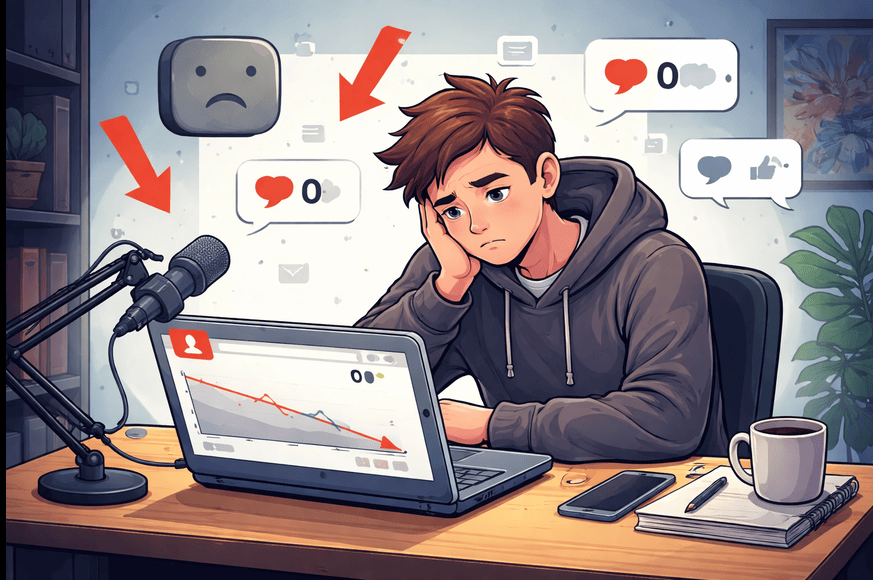
The algorithm isn’t one magic formula. It’s several systems that work together to recommend videos on the Home page, in search, in “Up Next” suggestions, and in Shorts.
Here’s what matters most right now:
- Viewer satisfaction is king. YouTube asks: “Did this person enjoy the video and want to watch more?”
- It tests every new video with a small group first (often your subscribers or similar viewers). If they watch a lot and click “like,” it shows the video to more people.
- Momentum matters. A strong-performing video can give your next upload an extra boost.
- Subscribers help a little, but interest and current behavior matter more.
- Shorts and long-form work together. Good Shorts can funnel viewers to your longer videos.
Key signals the algorithm checks:
- Click-through rate (how tempting your title + thumbnail look).
- Watch time and retention (how much of the video people actually finish).
- Engagement (likes, comments, shares).
- How well the video matches what people are searching for right now.
Focus on making viewers happy, not “tricking” the algorithm.
fix youtube views, youtube growth problems
Here is the exact step-by-step system to fix low views and solve your YouTube growth problems in 2026.
Step 1: Diagnose the Real Problem (5 Minutes)
Go to YouTube Studio → Analytics → Content. Look at these three numbers for your last 5–10 videos:
- Impressions (how many times shown)
- CTR (should be 5–10% or higher for beginners)
- Average View Duration (aim for 50%+ of video length)
Quick diagnosis cheat sheet:
- Low impressions → algorithm isn’t testing your video much (fix: better consistency + topic match).
- Low CTR but decent impressions → thumbnail or title problem.
- Good CTR but low watch time → hook or content pacing issue.
Step 2: Fix Your Title and Thumbnail (The 80/20 Fix)
Your title and thumbnail decide if anyone clicks. Actionable rules:
- Title: Put the main benefit or question first. Use numbers or power words. Keep under 60 characters. Example: “How I Grew My Channel from 0 to 10K Views in 30 Days (Beginner Method)” instead of “My First Vlog.”
- Thumbnail: Big, clear text + a surprised or happy face + bright colors. Use Canva (free).
- Test 2–3 thumbnails in YouTube Studio (it lets you A/B test automatically).
Step 3: Hook Viewers in the First 15 Seconds
Start with a strong hook:
- Ask a question they care about.
- Show the best part of the video.
- Promise a quick win.
Bad: “Hi everyone, today we’re going to talk about…” Good: “If your videos get zero views, this one change will fix it in the next 7 days.”
Step 4: Keep Them Watching (Retention Hacks)
- Speak with energy. Smile. Look at the camera.
- Cut every boring second in editing.
- Use chapters and on-screen text.
- End with a clear call-to-action (like, comment, subscribe) but only one or two.
Step 5: Upload Consistently and Build Momentum
Pick a realistic schedule (e.g., every Tuesday and Friday) and stick to it for 90 days. Create 3–5 videos in the same topic series so the algorithm sees “momentum.”
Step 6: Promote Smartly (Without Spamming)
- Share the video in relevant Reddit communities, Discord groups, or Facebook groups.
- Turn the best 30–60 seconds into 5–8 Shorts and link back to the full video.
- Reply to every comment in the first 24 hours.
Common Mistakes Beginners Make (And How to Avoid Them)
- No clear niche → Your channel feels random. Fix: Pick one main topic for the next 30 videos.
- Weak or no SEO → Videos don’t show in search. Fix: Use keywords people actually type (see tools below).
- Long, boring intros → People click away in 2 seconds. Fix: Hook immediately.
- Inconsistent uploading → Algorithm loses interest. Fix: Batch film 4 videos at once.
- Bad audio → Even great visuals fail. Fix: Use a simple USB mic or record in a quiet room.
- Over-relying on Shorts only → Long-form growth stalls. Fix: Use Shorts to promote long videos.
- Ignoring analytics → You keep repeating the same mistakes. Fix: Check Studio every week.
Best Practices and Strategies for 2026
- Create “bingeable” series instead of one-off videos.
- Focus on evergreen topics that people search year-round (how-to, tutorials, reviews).
- Use captions on every video (boosts retention and accessibility).
- End screens and cards: Link to your best-performing video.
- Study your top 3 videos and make more like them.
Practical Example: A beginner cooking channel posted “Easy Dinner Recipes” with plain titles and boring thumbnails → 50 views each. After changing to “5-Minute Dinner for Busy Students (No Oven Needed)” + a bright thumbnail showing the finished dish, the next video got 1,200 views in the first week. The algorithm then pushed the whole series.
Top Tools and Resources for YouTube Creators in 2026

You don’t need expensive equipment. These free or low-cost tools will give you a massive edge:
- YouTube Studio (Free) Your built-in dashboard. Use it to check analytics, test thumbnails, add end screens, and reply to comments. Check it every single day when starting out.
- vidIQ (Free + paid plans) Shows keyword difficulty, search volume, and competitor data. Use it to find titles people actually search for. The free version is enough for beginners.
- TubeBuddy (Free + paid plans) Best for tag suggestions, bulk processing, and A/B testing titles. It also shows how your video ranks for certain keywords.
- Canva (Free) Drag-and-drop thumbnail maker with YouTube templates. Perfect for eye-catching designs even if you have zero design skills.
- CapCut (Free) Super easy mobile or desktop editor with trending effects, auto-captions, and music. Great for beginners who want pro-looking videos fast.
Start with the free versions of vidIQ and TubeBuddy. They pay for themselves in saved time and extra views.
Quick-Start Tips to Improve Results Immediately
- Today: Pick one old video, rewrite the title, redesign the thumbnail, and re-upload (or just update if allowed).
- This week: Film and upload your next video using the hook + retention rules above.
- This month: Create your first content series (3–5 related videos).
- Track progress weekly in YouTube Studio. Celebrate small wins like CTR going from 2% to 6%.
Key Takeaways & Your 7-Day Action Checklist
Summary: Why youtube videos not getting views almost always comes down to low CTR or low retention. Fix those two things and the 2026 algorithm will start pushing your content.
7-Day Checklist:
- Check analytics on your last 5 videos
- Rewrite title + thumbnail for your weakest video
- Record a new video with a strong 15-second hook
- Edit with captions and energy
- Upload on your chosen schedule day
- Turn the best 60 seconds into a Short
- Reply to every comment and check analytics again in 48 hours
You now have everything you need to grow. Stop guessing. Start applying these steps today.
Your next video can be the one that finally gets the views you deserve.
You’ve got this! Drop a comment below with which step you’re trying first I read every single one.
FAQs
Q1: Why are my YouTube videos not getting any views even after uploading consistently?
Your videos likely have low click-through rate (CTR) or poor audience retention. The algorithm tests new videos with a small audience first. If people don’t click or watch long enough, it stops promoting them.
Q2: How long does it take to fix YouTube views and see growth?
Most beginners see improvement in 7–30 days if they fix titles, thumbnails, and hooks. Real momentum usually builds after 3–4 consistent videos in the same niche.
Q3: What is the biggest reason for low YouTube views in 2026?
Weak thumbnails and titles. Even great content gets ignored if the first impression (thumbnail + title) doesn’t grab attention in 1–2 seconds.
Q4: Do I need expensive tools to grow my YouTube channel?
No. Start with free tools: YouTube Studio, Canva, CapCut, and the free versions of vidIQ or TubeBuddy. They’re enough for beginners.
Q5: Should I focus on Shorts or long-form videos to fix my views?
Use Shorts to get quick attention and drive traffic to your long-form videos. In 2026, the algorithm rewards creators who combine both effectively.
Q6: How can I improve my video’s click-through rate (CTR)?
Create bright, clear thumbnails with big text and emotional faces. Write benefit-driven titles with numbers or questions. Test 2–3 versions in YouTube Studio.