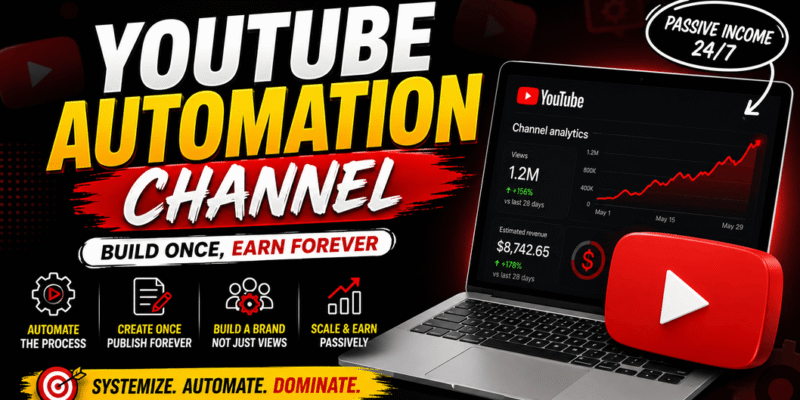

A YouTube automation channel, also known as automation YouTube or a passive YouTube channel, is a faceless channel where content is created and managed with minimal ongoing manual effort. Many creators use AI tools, scripts, stock footage, voiceovers, and outsourced help to produce videos without appearing on camera.
These channels focus on evergreen or high-demand topics that can generate views and revenue over time with a repeatable production process. The goal is to build a system that runs efficiently, turning YouTube into a source of passive or semi-passive income once the channel gains traction.
How YouTube Automation Channels Work
YouTube automation channels operate by systematizing video production:
- Idea Generation and Research — Identify topics that perform well using keyword tools.
- Script Writing — Create engaging scripts with AI or writers.
- Voiceover — Generate natural-sounding narration with AI voices or hire voice actors.
- Visuals and Editing — Combine stock footage, AI-generated images, animations, or simple visuals, then edit into a polished video.
- Thumbnails and Titles — Design click-worthy thumbnails and SEO-optimized titles.
- Upload and Optimization — Publish consistently and monitor performance.
Once uploaded, the YouTube algorithm promotes videos based on watch time, retention, and engagement. Successful automation channels treat this as a business: they focus on quality, consistency, and audience value rather than fully “set it and forget it” from day one.
Important Fundamentals Beginners Must Understand
Before starting, grasp these core concepts:
- Faceless Content: Videos use narration over visuals like stock footage, animations, screen recordings, or AI-generated scenes. No personal appearance is needed.
- Evergreen vs. Trending Content: Evergreen topics (e.g., “Top Productivity Tips”) provide long-term views. Trending content offers quick boosts but requires faster production.
- YouTube Monetization: Reach 1,000 subscribers and 4,000 watch hours (or 10 million Shorts views) for the YouTube Partner Program. Additional revenue comes from affiliate marketing, sponsorships, digital products, or memberships.
- Algorithm Basics: YouTube prioritizes videos that keep viewers watching. High retention (percentage of video watched) and click-through rate (CTR from thumbnails/titles) matter most.
- SEO: Optimize titles, descriptions, tags, and chapters with relevant keywords.
- Consistency: Posting 1–3 videos per week builds momentum.
- Compliance: Avoid reused content, misleading claims, or copyright issues. Original scripts and proper licensing are essential.
Key Takeaway: Automation does not mean zero effort. It means building efficient systems. Expect initial work to set up processes and refine them based on data.
Step-by-Step Guide to Get Started with a YouTube Automation Channel
Step 1: Choose a Profitable Niche Select a niche with demand, decent competition, and monetization potential. Examples for 2026 include personal finance, self-improvement, technology explainers, top 10 lists, motivational stories, health tips, or historical facts.
Actionable Tip: Use free tools like YouTube search autocomplete or Google Trends. Validate by checking existing channels for view counts on similar videos.
Step 2: Set Up Your Channel
- Create a Google account and YouTube channel.
- Choose a clear name (e.g., “DailyFinanceTips” or “ProductivityHubDaily”).
- Write a channel description with keywords.
- Design a professional banner and logo using Canva.
- Enable monetization features early.
Step 3: Develop a Content Strategy Decide on video formats: list videos, explainers, storytelling, or compilations. Plan 10–20 video ideas in advance.
Step 4: Create Your First Video
- Write a script (800–1500 words for 8–15 minute videos).
- Generate voiceover.
- Gather or create visuals.
- Edit the video.
- Create thumbnail and title.
- Write description with timestamps, links, and keywords.
Step 5: Upload and Promote Upload consistently. Share on social media or forums initially. Analyze performance in YouTube Analytics after 7–10 videos.
Step 6: Scale and Automate Document your workflow, then outsource or use more AI tools as revenue grows.
Best Practices and Strategies
- Focus on viewer retention: Hook in the first 10–15 seconds, deliver value, and use patterns like “list + story” formats.
- Optimize for SEO: Research keywords with tools (long-tail phrases like “best passive income ideas for beginners 2026”).
- Batch content: Create multiple scripts or videos in one session.
- Test thumbnails and titles: Run A/B tests where possible.
- Build playlists and end screens to increase watch time.
- Diversify income: Combine AdSense with affiliate links (Amazon, ClickBank) and your own products.
Practical Framework: The Content Flywheel — Research → Script → Produce → Optimize → Analyze → Refine. Repeat and improve each cycle.
Practical Examples and Real Use Cases
- Finance Niche: A channel posts “10 Side Hustles for 2026” using stock footage of workspaces, AI voiceover, and on-screen text. It earns from affiliate links to courses/tools.
- Facts/Top Lists: Videos like “50 Mind-Blowing History Facts” use public domain images and simple animations. Evergreen views accumulate over months.
- Motivational Stories: Narrate success stories with cinematic stock footage. Viewers stay for inspiration, leading to high retention.
Many channels reach monetization in 3–6 months with consistent effort and then become more passive as systems improve.
Tools and Resources for YouTube Automation
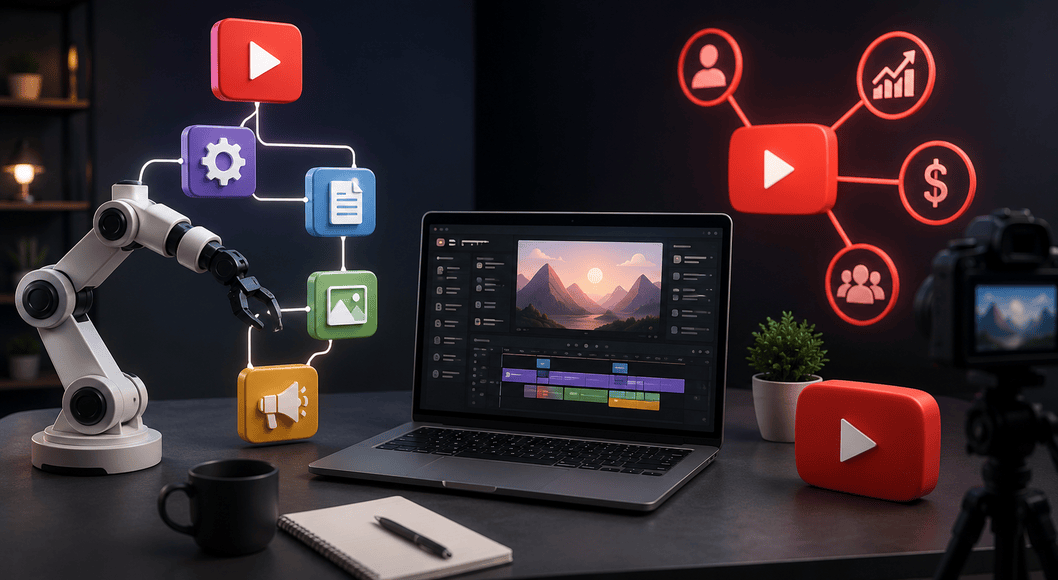
Here are top tools beginners can use effectively:
ChatGPT (or similar AI like Claude/Gemini): For script writing, idea generation, titles, descriptions, and outlines. Prompt example: “Write an engaging 10-minute YouTube script on [topic] with a strong hook and calls to action.” Use the free tier to start; upgrade for more usage.
ElevenLabs: Creates high-quality, natural-sounding AI voiceovers. Upload your script and select a voice. Ideal for faceless channels. Start with free credits.
CapCut: Free, beginner-friendly video editor with AI features for auto-captions, effects, and transitions. Great for combining footage and voiceovers.
Canva Pro: Designs professional thumbnails, channel art, and simple animations. Drag-and-drop interface with templates.
vidIQ or TubeBuddy: Browser extensions for keyword research, competitor analysis, tag suggestions, and channel audits. Essential for SEO. Free versions available; paid for advanced features.
Additional options include InVideo or Pictory for script-to-video automation, stock footage sites like Pexels or Shutterstock, and Descript for easy editing.
Start with free tiers and reinvest earnings into premium features.
Common Mistakes Beginners Make
- Using robotic AI voices or low-quality reused content, leading to poor retention or demonetization.
- Changing niches too frequently instead of refining one.
- Ignoring SEO and posting without research.
- Poor thumbnails and titles that fail to attract clicks.
- Inconsistent uploading or failing to analyze analytics.
- Expecting fully passive results immediately without upfront work.
Checklist to Avoid Mistakes:
- Script is original and valuable.
- Voiceover sounds human.
- Thumbnail is clear and curiosity-driven.
- Video optimized before upload.
- Review analytics weekly.
Tips to Improve Results with YouTube Automation
- Prioritize quality over quantity initially.
- Improve retention by adding B-roll, text overlays, and pacing.
- Engage with comments to build community.
- Repurpose content: Turn long videos into Shorts.
- Track metrics: Focus on CTR (>5–10% is good), average view duration, and audience retention graphs.
- Stay updated with YouTube policy changes in 2026.
- Consider outsourcing editing once you have revenue.
Summary Table of Production Workflow:
| Stage | Tool/Example | Time Estimate (Beginner) |
|---|---|---|
| Research/Ideas | vidIQ/ChatGPT | 30–60 min |
| Scripting | ChatGPT | 30–45 min |
| Voiceover | ElevenLabs | 10–20 min |
| Editing | CapCut | 1–3 hours |
| Thumbnail | Canva | 15–30 min |
| Upload/SEO | YouTube Studio | 20 min |
Starting a YouTube automation channel in 2026 is accessible with the right systems and tools. Focus on providing real value, stay consistent, and treat it as a learnable skill. Many beginners see meaningful results after 20–50 videos as they refine their process. Use this guide as your reference, take action on one step today, and iterate based on your channel’s data. With patience and smart automation, you can build a sustainable passive YouTube income stream.
Success comes from execution start small, learn from analytics, and scale what works. Good luck with your YouTube automation journey!
FAQs
What is a YouTube automation channel?
A YouTube automation channel (also called automation YouTube or passive YouTube) is a faceless channel that uses AI tools, stock footage, and scripts to create videos with minimal ongoing manual work.
Do YouTube automation channels still work in 2026?
Yes. Channels that focus on quality content, good SEO, and viewer retention continue to grow and earn money.
How much money can you make with YouTube automation?
Earnings vary widely. Beginners often make $500–$2,000/month after monetization, while established channels can earn $5,000+ per month through AdSense, affiliates, and products.
Do I need to show my face?
No. Most automation channels are completely faceless and rely on voiceovers and visuals.
What is the best niche for YouTube automation?
Profitable niches in 2026 include personal finance, self-improvement, technology explainers, top 10 lists, health tips, and motivational stories.
Which tools are best for beginners?
Start with ChatGPT (scripts), ElevenLabs (voiceover), CapCut (editing), Canva (thumbnails), and vidIQ (SEO).
How long does it take to get monetized?
With consistent uploading (1–3 videos per week), many creators reach monetization within 3–8 months.
Is YouTube automation fully passive?
It is semi-passive. You need upfront work to build systems, but it becomes more passive once the channel grows and processes are streamlined.