
YouTube growth tools are software, extensions, and platforms designed to help creators increase views, subscribers, watch time, and overall channel success. These youtube growth tools handle everything from keyword research and video optimization to analytics, thumbnail creation, and content editing.
In 2026, with intense competition and algorithm changes favoring high-retention, well-optimized content, using the right youtube software and seo tools youtube makes the difference between slow growth and consistent progress.
What Are YouTube Growth Tools and How Do They Work?
YouTube growth tools analyze data from your channel and competitors, suggest improvements, and automate repetitive tasks. They work by:
- Pulling public YouTube data (views, search terms, competitor performance).
- Providing AI-powered insights for titles, tags, descriptions, and thumbnails.
- Tracking analytics beyond YouTube Studio, such as keyword rankings and audience retention patterns.
- Helping with content ideas that match current search demand.
For example, instead of guessing a video title, a tool shows exact search volume, competition level, and predicted performance. This data-driven approach helps beginners avoid common trial-and-error mistakes.
Important Fundamentals Beginners Must Understand
Before using any tools, master these basics:
- YouTube Algorithm Basics — It prioritizes watch time, audience retention, click-through rate (CTR) from thumbnails/titles, and session time (how long viewers stay on YouTube after your video).
- SEO for YouTube — Use relevant keywords in titles, descriptions, tags, and spoken content. Focus on long-tail keywords (specific phrases with lower competition).
- Content Quality First — Tools amplify good content. No tool fixes poor video quality or low value.
- Consistency — Post regularly and analyze what works.
- Audience Retention — Aim for videos where viewers watch 50%+ of the content.
Key Takeaway: Tools are multipliers. Build strong fundamentals first.
Step-by-Step Guide to Get Started with YouTube Growth Tools
Step 1: Set Up Your Channel Basics Create a clear channel name, professional banner, and logo. Define your niche and target audience.
Step 2: Install Browser Extensions Start with free versions of VidIQ or TubeBuddy. These integrate directly into YouTube.
Step 3: Perform Keyword Research Use tools to find searchable topics. Target keywords with decent volume but lower competition.
Step 4: Create and Optimize Content Script with keywords, edit for pacing, design eye-catching thumbnails, and write detailed descriptions.
Step 5: Publish and Promote Upload consistently, engage with comments, and share on other platforms.
Step 6: Analyze and Iterate Review performance weekly and adjust strategy.
Best YouTube Growth Tools in 2026
Here are top youtube software and seo tools youtube recommendations for beginners, with practical usage tips.
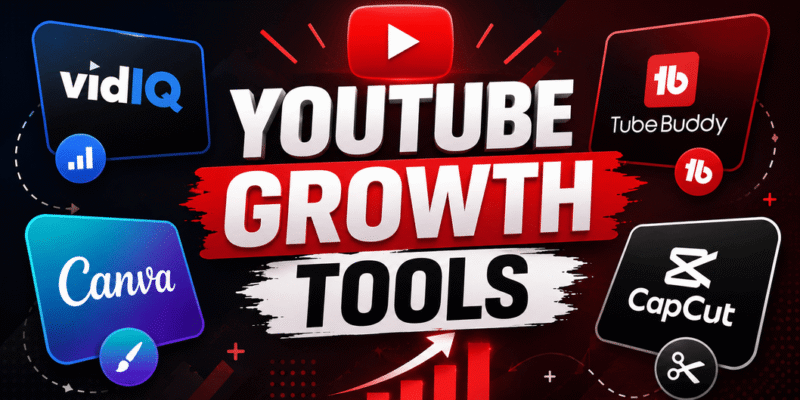
1. VidIQ VidIQ is one of the leading youtube growth tools for keyword research, competitor analysis, and real-time insights.
- Key Features: Keyword scores, competitor tracking, AI video ideas, thumbnail generator, channel audit.
- When to Use It: Daily for research and optimization. Great for finding viral topics.
- Beginner Tip: Install the free Chrome extension. Use the “Most Viewed” and trend alerts to spot opportunities. Upgrade for advanced AI features.
2. TubeBuddy TubeBuddy excels in bulk processing, SEO suggestions, and channel management.
- Key Features: Tag suggestions, title optimization, A/B thumbnail testing, keyword explorer, comment management.
- When to Use It: During upload and for ongoing optimization. Excellent for batch updates on older videos.
- Beginner Tip: Start with the free plan. Use its SEO score to improve video metadata before publishing.
3. Canva Canva is a free (with premium options) graphic design tool perfect for thumbnails and channel art.
- Key Features: Drag-and-drop editor, AI Magic Studio, thousands of templates, YouTube thumbnail sizes.
- When to Use It: Every video for custom thumbnails. Test bold text, faces, and contrasting colors.
- Beginner Tip: Design thumbnails with high contrast and clear text. A/B test 2-3 versions using TubeBuddy.
4. CapCut CapCut (by ByteDance) is a powerful, free video editor with AI features.
- Key Features: Auto-captions, effects, trending templates, music library, speed ramping.
- When to Use It: Editing long-form videos and Shorts. Ideal for beginners.
- Beginner Tip: Use auto-captions to boost accessibility and retention. Export in YouTube-recommended settings.
5. Descript Descript is an AI-powered audio/video editor that lets you edit by editing text.
- Key Features: Overdub (voice cloning), filler word removal, screen recording, subtitles.
- When to Use It: For podcast-style or talking-head videos. Great for quick revisions.
- Beginner Tip: Record a script, remove “ums” automatically, and generate subtitles in minutes.
Bonus Free Resources:
- YouTube Studio (built-in analytics).
- Google Trends (for topic popularity).
- YouTube Search Suggest (manual keyword ideas).
Best Practices and Strategies for YouTube Growth
- Keyword Strategy: Combine high-search-volume head terms with long-tail keywords. Place primary keyword in title, first 100 characters of description, and tags.
- Thumbnail Best Practices: Use close-up faces with emotions, large text (3-5 words), and bright colors. Aim for 70%+ CTR.
- Video Structure: Hook in first 3-15 seconds, deliver value, include CTA for likes/subscribes/comments.
- Consistency Framework: Choose a posting schedule (e.g., 1 long video + 3-5 Shorts per week) and stick to it.
- Cross-Promotion: Share clips on TikTok, Instagram, and X. Collaborate with similar-sized creators.
- Analytics Review: Check YouTube Studio weekly for traffic sources, audience retention graphs, and top videos. Double down on what works.
Actionable Checklist for Every Video:
- Keyword researched and used naturally.
- Thumbnail designed and tested.
- Description with timestamps, links, and keywords.
- End screen and cards added.
- Engaging title under 60 characters.
Common Mistakes Beginners Make
- Keyword stuffing instead of natural optimization.
- Generic thumbnails without text or contrast.
- Ignoring analytics and repeating low-performing content.
- Posting inconsistently.
- Focusing only on subscriber count instead of watch time.
- Over-relying on tools without improving content quality.
Avoid these by starting small, learning from data, and iterating.
Practical Examples and Real Use Cases
Example 1: Niche Channel Growth A beginner in “personal finance for beginners” uses VidIQ to find “best savings account 2026” (good volume, medium competition). They create a video with clear comparisons, use Canva for a bold thumbnail saying “Top 5 Accounts – Earn 5%+”, and optimize with TubeBuddy. Result: Steady views from search traffic.
Example 2: Shorts to Long-Form Funnel Use CapCut to create daily Shorts from long videos. Drive viewers to full content via end screens. Many channels grow 2-3x faster with this approach.
Tips to Improve Results with YouTube Growth Tools
- Combine tools: VidIQ for research + TubeBuddy for optimization + Canva/CapCut for creation.
- Track progress monthly (subscribers, views, RPM if monetized).
- Experiment with AI features in 2026 tools for ideas and editing, but always add your unique voice.
- Focus on evergreen content for long-term growth alongside trending topics.
- Engage with your audience — reply to comments to boost algorithm signals.
- Stay updated: Algorithms change, so follow tool blogs or YouTube channels for updates.
Conclusion and Next Steps
YouTube growth tools like VidIQ, TubeBuddy, Canva, CapCut, and Descript provide beginners with professional-level capabilities without needing a big budget. Start with free versions, master fundamentals, create consistently high-value content, and use data to improve.
Your 7-Day Action Plan:
- Install VidIQ and TubeBuddy extensions.
- Research 5 video ideas with good keywords.
- Create and optimize your next video using the checklist.
- Publish and promote.
- Review analytics after 48 hours.
- Adjust based on data.
- Repeat.
With patience and the right youtube software, your channel can grow significantly in 2026. Focus on providing real value to viewers, and the growth will follow. Save this guide as your reference and revisit it often.
FAQs
Q1: What are the best YouTube growth tools for beginners in 2026?
The top tools are VidIQ, TubeBuddy, Canva, CapCut, and Descript. Start with the free versions of VidIQ and TubeBuddy.
Q2: Are YouTube growth tools free?
Most tools offer good free plans. VidIQ and TubeBuddy have excellent free versions. Canva and CapCut are completely free to start.
Q3: Do YouTube growth tools guarantee subscribers and views?
No tool can guarantee results. They help you optimize content and find opportunities, but consistent high-quality videos are still essential.
Q4: Which is better: VidIQ or TubeBuddy?
Both are excellent. Many creators use both. VidIQ is stronger for keyword research and analytics, while TubeBuddy excels at bulk optimization and uploads.
Q5: How often should I use these tools?
Use them daily for research and every time you upload or optimize old videos. Regular use speeds up growth significantly.
Q6: Can these tools help with YouTube Shorts?
Yes. CapCut is especially powerful for Shorts, and VidIQ/TubeBuddy help find trending topics for short-form content.
Q7: Is SEO still important for YouTube in 2026?
Yes. YouTube SEO remains one of the most effective ways to get consistent views from search.