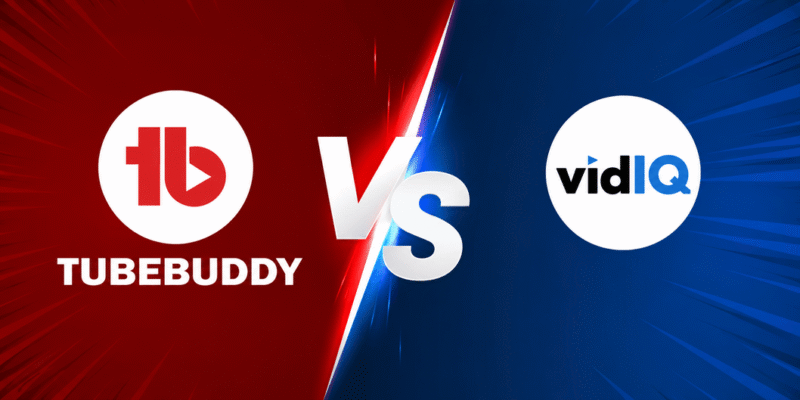

If you are a new YouTuber trying to grow your channel, you have probably heard about TubeBuddy and VidIQ. These are two of the most popular YouTube SEO tools. They help creators with keyword research, video optimization, competitor analysis, and more.
What Are TubeBuddy and VidIQ?
TubeBuddy and VidIQ are browser extensions and web platforms designed specifically for YouTube creators. They integrate directly into your YouTube Studio and video pages to provide real-time insights and tools.
- TubeBuddy focuses on workflow efficiency, bulk processing, and optimization tools. It acts like a comprehensive management toolkit for your channel.
- VidIQ emphasizes data-driven insights, keyword research, competitor analysis, and AI-powered ideas. It helps you understand what is working on YouTube right now.
Both tools help with YouTube SEO the process of optimizing your videos so they appear higher in YouTube search results and recommended videos.
Important Fundamentals Beginners Must Understand
Before diving deeper, grasp these core concepts:
- YouTube Algorithm Basics: YouTube promotes videos based on watch time, click-through rate (CTR), audience retention, engagement (likes, comments), and relevance to search queries.
- Keyword Research: Finding search terms people actually use. Good keywords have decent search volume but lower competition.
- Video Optimization: Using keywords in titles, descriptions, tags, thumbnails, and closed captions.
- Analytics: Tracking performance to see what works and improve future videos.
- Competitor Analysis: Studying successful channels in your niche to learn strategies.
TubeBuddy and VidIQ make these tasks easier by providing data and suggestions directly in your workflow.
TubeBuddy vs VidIQ: Head-to-Head Features Comparison
Keyword Research
Both tools excel here, but with slight differences.
- TubeBuddy: Offers Keyword Explorer with weighted (personalized to your channel) and unweighted scores, trends, and search insights. It integrates well with Google and YouTube data.
- VidIQ: Provides more keyword suggestions, including related phrases and questions. It shows strong trending topics and daily ideas.
Winner: Tie for most users. TubeBuddy gives deeper personalized data; VidIQ offers broader suggestions.
Video Optimization and SEO Tools
- TubeBuddy: Features SEO Studio with checklists, tag suggestions, Click Magnet for title/description optimization, and bulk editing tools. Excellent for updating multiple videos quickly.
- VidIQ: Gives SEO scores for titles, optimization suggestions, and tag recommendations. It also offers channel audits.
Winner: TubeBuddy for bulk work and detailed checklists; VidIQ for quick insights.
Thumbnail and Title Testing
- TubeBuddy: Strong A/B testing for thumbnails and titles. You can run real experiments to see what gets more clicks.
- VidIQ: Provides thumbnail feedback and AI generation but lacks built-in A/B testing.
Winner: TubeBuddy.
Competitor Analysis and Analytics
- VidIQ: Excels with detailed stats on any video (views per hour, engagement), competitor tracking, and trend alerts.
- TubeBuddy: Offers competitor scorecards, upload alerts, and channel insights.
Winner: VidIQ for in-depth analytics.
Other Notable Features
- TubeBuddy: Bulk processing (cards, end screens, find/replace), best time to publish, comment management, thumbnail generator, and suggested Shorts.
- VidIQ: AI Coach, daily personalized video ideas, trend alerts, and stronger web dashboard.
Pricing Comparison (2026)
TubeBuddy:
- Free plan with basic features.
- Pro: Around $3–$4.50/month (cheaper with annual billing and discounts for small channels).
- Higher tiers (Star/Legend): $19+/month for advanced features like full A/B testing and bulk tools.
VidIQ:
- Free plan with useful limits.
- Boost/Pro: Starts around $7.50–$19/month (annual discounts available).
- Higher plans (Max, Coaching): $40+ per month.
TubeBuddy is generally more affordable for beginners, especially with discounts.
Step-by-Step Guide to Get Started with TubeBuddy or VidIQ
- Sign Up: Visit the official website (tubebuddy.com or vidiq.com) and create a free account.
- Install the Browser Extension: Use Chrome (recommended) for seamless integration.
- Connect Your YouTube Channel: Authorize the tool to access your channel data.
- Explore the Dashboard: Start with keyword research or a channel audit.
- Optimize Your Next Video:
- Research keywords.
- Write title, description, and tags using suggestions.
- Design/test thumbnail.
- Publish and monitor performance.
- Review Analytics: After 48 hours–1 week, check insights and adjust.
Pro Tip: Start with the free versions of both to test which interface you prefer.
Best Practices and Actionable Strategies
- Keyword Strategy: Target 1 main keyword + 4–6 secondary ones. Use them naturally in titles (first 60 characters), descriptions (first 100–150 characters), and tags.
- Optimization Checklist:
- Compelling title with keyword and hook.
- Detailed description with timestamps, links, and keywords.
- 10–15 relevant tags (mix broad and specific).
- Eye-catching custom thumbnail with text and faces.
- End screens and cards for retention.
- Content Planning: Use daily ideas or topic planners. Create content clusters around core topics.
- Testing: Always A/B test thumbnails/titles when possible (TubeBuddy advantage).
- Consistency: Post on your best days/times (both tools suggest these).
Practical Examples and Real Use Cases
Example 1: Cooking Channel You want to rank for “easy chicken recipes.”
- TubeBuddy/VidIQ shows search volume and competition.
- You discover “5-minute chicken dinner” has good potential.
- Optimize video: Title includes keyword, description has recipe steps + timestamps, thumbnail shows finished dish with text overlay.
Example 2: Tech Review Channel Analyze a competitor’s top video with VidIQ to see their tags and CTR estimates. Use TubeBuddy to bulk-update older videos with new end screens.
Common Mistakes Beginners Make
- Overstuffing keywords (sounds unnatural).
- Ignoring mobile thumbnails.
- Not using all suggested tags.
- Focusing only on high-competition keywords.
- Forgetting to analyze performance after upload.
- Over-relying on tools instead of creating great content.
Tips to Improve Results with These Tools
- Combine both tools if your budget allows many creators do this.
- Update old videos regularly using bulk tools.
- Track progress monthly: subscribers, watch time, and ranking improvements.
- Learn from the tools’ educational resources (tutorials, blogs).
- Focus on audience retention tools help with SEO, but content quality drives long-term growth.
Other Helpful Tools and Resources
Here are complementary tools to use alongside TubeBuddy or VidIQ:
- YouTube Studio: Free built-in analytics and management your starting point.
- Canva: For creating professional thumbnails quickly.
- Google Trends or YouTube Search Suggest: Free keyword ideas.
- TubeRanker or Similar Free SEO Checkers: Additional optimization scores.
- Epidemic Sound or Artlist: Royalty-free music (TubeBuddy sometimes offers discounts).
Use these in combination for a complete workflow. For example, research keywords in VidIQ/TubeBuddy, design thumbnails in Canva, and analyze in YouTube Studio.
Key Takeaways and Final Recommendation
TubeBuddy is ideal if you want:
- Affordable pricing
- Bulk editing
- A/B testing
- Workflow efficiency
VidIQ is better if you prefer:
- Modern interface
- Stronger analytics and competitor insights
- AI ideas and trends
For most beginners in 2026: Start with the free plans of both, then choose based on your needs. Many successful creators use elements from both. Focus on consistent content creation first these tools amplify your efforts.
FAQs
1. Which is better: TubeBuddy or VidIQ?
It depends on your needs. TubeBuddy is better for bulk editing, A/B testing, and lower pricing. VidIQ excels in competitor analytics, trends, and AI ideas. Many beginners start with both free versions.
2. Are TubeBuddy and VidIQ free?
Yes, both offer free plans with useful features. Paid plans unlock advanced tools like full keyword research, bulk processing, and detailed analytics.
3. Do I need both TubeBuddy and VidIQ?
Not necessary. Most beginners do well with just one. Advanced creators sometimes use both for different strengths.
4. Which tool is cheaper in 2026?
TubeBuddy is generally more affordable, especially for new YouTubers.
5. Can these tools guarantee YouTube growth?
No tool guarantees growth. They help with optimization and research, but consistent, high-quality content is still the most important factor.
6. How long does it take to see results?
You can improve video rankings within 1–4 weeks if you apply the optimization tips consistently.
7. Are these tools safe to use on my YouTube channel?
Yes, both are official YouTube partner tools and completely safe.