Growing a YouTube channel in 2026 takes more than a good camera and a great idea — it takes data. Every top creator relies on a stack of small, fast utilities to research competitors, extract transcripts, grab thumbnails, and craft titles and tags that actually rank. That’s exactly what Signal, the free YouTube tool suite from YTtoolbox (yttbox.com/youtube-tools), was built to do.
Signal bundles six essential, no-login tools into a single dashboard — all powered by the site’s own API keys under fair-use daily limits, so you never need to bring your own YouTube API key or pay a subscription.
What’s Inside the Signal Toolkit?
- YouTube Thumbnail Downloader — download any video’s thumbnail in HD, instantly.
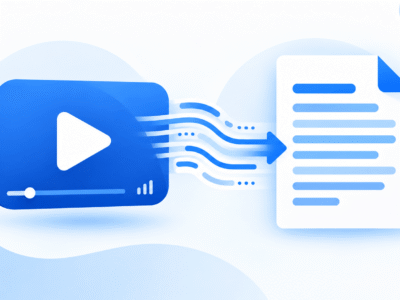
- YouTube Transcript Downloader — extract the full text transcript of any captioned video.
- YouTube Title Generator — generate click-worthy, SEO-friendly video titles.
- YouTube Tag Generator — generate relevant tags to improve discoverability.
- YouTube Channel Research Tool — analyze any public YouTube channel.
- YouTube Trending Videos Tool — see what’s trending right now, by category and region.
Why Creators Use an All-in-One Toolkit
Instead of bouncing between five different websites — one for thumbnails, another for transcripts, another for tag ideas — Signal keeps the entire pre-production and post-production research loop in one place. That means less time hunting for tools and more time actually making videos.
How These Tools Fit Into Your Workflow
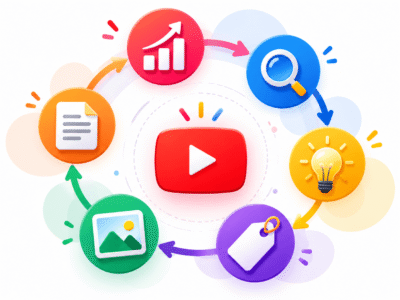
Each tool solves a different stage of the content creation process:
- Research what’s trending and what competitors are doing.
- Plan your video’s title and tags before you even film.
- Repurpose and analyze after publishing.
We cover the full step-by-step, in-depth breakdown of every single tool in its own dedicated guide — start with whichever tool matches what you need right now, or read our full YouTube creator workflow guide to see how all six fit together.
Frequently Asked Questions
Is Signal really free to use?
Yes. All six tools are free, with fair-use daily limits since the toolkit runs on the site’s own API keys.
Do I need to create an account?
No signup or login is required to use any of the tools in the Signal suite.
Which tool should I start with?
If you’re planning a new video, start with the Trending Videos tool and Channel Research tool for ideas, then move to the Title Generator and Tag Generator before you upload.
Can agencies or teams use these tools?
Yes — the tools are browser-based and free, making them easy to use across a content team, as long as you stay within fair daily-use limits.