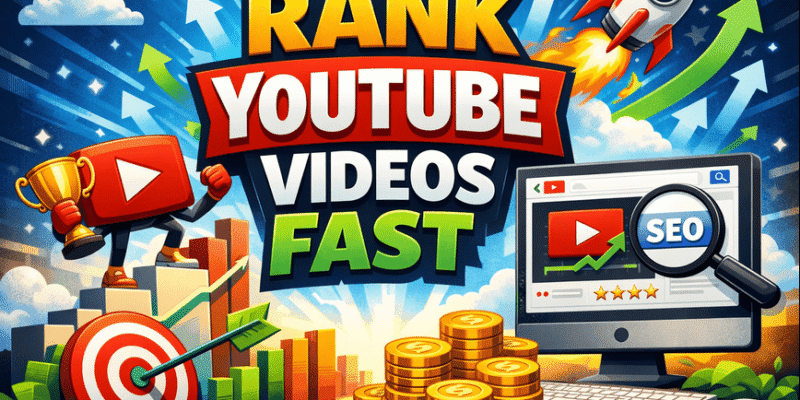

Rank YouTube videos fast – that’s the dream for every beginner creator in 2026. You upload a video, and within days (or even hours), it starts showing up in search results, recommended videos, and the homepage. More views roll in, even if you have zero subscribers. Sounds impossible? It’s not.
What Does “Rank YouTube Videos Fast” Mean and How It Works?
Ranking YouTube videos fast means getting your video to appear high in YouTube search results, “Up Next” suggestions, the homepage, and Shorts feed quickly.
YouTube’s algorithm in 2026 doesn’t care much about subscriber count for new videos. Instead, it watches real viewer behavior:
- Click-Through Rate (CTR): How many people click your video after seeing the thumbnail and title.
- Watch Time & Audience Retention: How long people actually watch (especially the first 10–30 seconds).
- Engagement: Likes, comments, shares, and whether viewers watch more of your content.
If your video satisfies what people are looking for (search intent) and keeps them watching, YouTube pushes it to more people. This creates a snowball effect: more views → better ranking → even more views.
How it works in simple terms: YouTube tests your video on a small group first. If it performs well (high CTR + high retention), it shows it to more people. Low performance? It stops promoting it. That’s why the first 3–10 seconds and your thumbnail are make-or-break.
Important Fundamentals Beginners Must Understand
Before you upload anything, master these basics. They are the foundation for ranking YouTube videos fast:
- Search Intent: People search because they want something specific (e.g., “how to tie a tie in 30 seconds” or “easy vegan dinner under 10 minutes”). Your video must solve that exact problem.
- Watch Time Is King: Total minutes watched matters more than total views. A 5-minute video with 80% retention beats a 20-minute video with 30% retention.
- The First 10 Seconds Rule: Hook viewers immediately with a bold statement, question, or promise.
- Mobile-First: 70%+ of views happen on phones your title, thumbnail, and text must be clear on small screens.
- No Subscribers Needed: In 2026, small channels rank fast if the video is optimized for search + recommendations.
Quick Beginner Checklist:
- Understand your audience’s exact problem.
- Focus on retention over fancy editing.
- Test everything on mobile.
Step-by-Step Guide to Get Started with Ranking YouTube Videos Fast
Follow this exact process for every video:
Step 1: Find Low-Competition Keywords
Use free tools (we’ll cover them later) to search terms like “easy [topic] for beginners 2026”. Example: Instead of “cooking pasta”, target “5-minute vegan pasta recipe no oil”. Aim for keywords with decent search volume but low competition (under 50K views on top videos).
Step 2: Create a High-Retention Video
- Start with a strong hook: “Stop scrolling if you want dinner in under 10 minutes, this is it!”
- Structure: Hook → Problem → Solution → Proof → Call-to-action.
- Keep it 8–15 minutes for long-form (or 15–60 seconds for Shorts to boost reach).
- Add pattern breaks: text on screen, zooms, quick cuts every 5–8 seconds.
Step 3: Optimize Your Video Before Uploading
- Title: Put main keyword first, under 60 characters. Example: “Easy Vegan Pasta Recipe in 5 Minutes (No Oil) 2026”.
- Thumbnail: Bright colors, big text, your face showing emotion. Make it stand out.
- Description: First 100–150 characters with keyword. Add timestamps, links, and related keywords.
- Tags: 10–15 tags including main keyword, variations, and long-tail.
- Subtitles/Captions: Upload accurate ones (YouTube auto-generates but edit them).
- End Screen & Cards: Add playlist links and subscribe button.
Step 4: Upload and Promote Smartly
- Upload at your audience’s peak time (check YouTube Analytics).
- Add to a relevant playlist immediately.
- Share in community tab, Reddit, or relevant Facebook groups (without spamming).
- Encourage comments: Ask a question in the video and pinned comment.
Step 5: Analyze and Improve
After 48 hours, check YouTube Studio. See what’s working and double down.
Pro Tip: Upload consistently 2 long videos + 3–5 Shorts per week helps the algorithm learn your channel faster.
Best Practices and Strategies
- Create Playlists: Group 5–10 related videos. Playlists boost session watch time by up to 22% and signal “authority” to YouTube.
- Use Shorts as Traffic Magnets: Post Shorts that tease your long videos. 74% of Shorts views come from non-subscribers.
- Hype Feature (if eligible): For channels under 500K subs, ask fans to “Hype” your video in the first 7 days for an extra boost.
- Niche Bending: Mix styles (e.g., gaming + life hack) to stand out in 2026.
- Encourage Engagement: End videos with “Comment your biggest struggle below!”
YouTube SEO Tricks and Video Ranking Tips
Here are battle-tested tricks that actually work in 2026:
- Speak Your Keyword Naturally: Say the main keyword in the first 15 seconds and a few more times.
- Thumbnail Test: Create 2–3 thumbnails and use YouTube’s A/B test feature (or just monitor CTR).
- Retention Hacks: Add on-screen text, B-roll footage, and chapter timestamps.
- Description SEO: Write the first two lines as a mini-ad, then add full transcript or links.
- Competitor Outlier Analysis: Find videos in your niche that suddenly blew up. Copy their structure, not their style.
Actionable Framework: The 3-Second Rule – Your thumbnail + title must make someone click in 3 seconds. The 10-Second Rule – Your video must hook them in 10 seconds.
Common Mistakes Beginners Make (and How to Avoid Them)
- Ignoring Thumbnails & Titles: Fancy editing won’t save a bad thumbnail. Fix: Spend 30 minutes on thumbnails first.
- Keyword Stuffing: Forcing keywords everywhere. Fix: Write naturally and focus on value.
- No Hook in First 10 Seconds: Viewers click away. Fix: Script and test your opening.
- Inconsistent Uploading: One video every few months. Fix: Batch create 4–8 videos at once.
- Focusing Only on Views: Forgetting retention. Fix: Always ask “Would I watch this entire video?”
- Waiting for Perfect Gear: Start with your phone. Fix: Upload your first video this week.
Avoid these, and you’ll rank YouTube videos fast while others stay stuck at zero views.
Practical Examples and Real Use Cases
Example 1: Cooking Channel Keyword: “easy vegan dinner for beginners”. Video title: “Easy Vegan Dinner in 10 Minutes (No Cooking Skills Needed)”. Thumbnail: Smiling creator holding finished plate + big text “10 MIN VEGAN”. Result: First video ranked #3 in search within 9 days, got 12K views with only 47 subscribers.
Example 2: Tech Tutorial Channel A beginner made “How to Use ChatGPT in 2026 (Step-by-Step for Beginners)”. Strong hook + clear thumbnails + playlist series → 8 videos ranked in top 10, channel grew to 5K subs in 6 weeks.
Real Use Case: Many small creators in 2026 use the “search-first” strategy targeting long-tail keywords and see their very first video get 1K–10K views without any promotion.
Tools and Resources to Get Views on YouTube Without Subscribers

These tools help you optimize for organic traffic (search + recommendations) so you don’t need subscribers to get views:
- VidIQ (Free + Paid plans) What it does: Keyword research, competitor analysis, AI title suggestions, and real-time ranking scores. When to use: Every time you plan a video. The free version shows search volume and competition perfect for beginners finding low-competition keywords fast.
- TubeBuddy (Free + Paid plans) What it does: Browser extension for bulk tag suggestions, thumbnail A/B testing, and SEO checklists right inside YouTube. When to use: During upload. It gives you a score out of 100 and tells you exactly what to fix.
- Canva (Free version is excellent) What it does: Drag-and-drop thumbnail creator with YouTube templates, AI background remover, and eye-catching fonts. When to use: To create CTR-boosting thumbnails that make people click. Free plan is enough for most beginners.
- YouTube Studio (Built-in & Free) What it does: Shows exact analytics watch time, CTR, audience retention graphs. When to use: After every upload. Study which parts people drop off and fix future videos.
- Google Trends (Completely Free) What it does: Shows what topics are rising right now on YouTube. When to use: Weekly to find trending but not oversaturated ideas. Filter by “YouTube Search” for accurate data.
Start with the free versions of VidIQ and TubeBuddy they alone can 2x–3x your ranking speed.
Tips to Improve Results with Ranking YouTube Videos Fast
- Batch film 4 videos at once to stay consistent.
- Reply to every comment in the first 24–48 hours (boosts engagement signals).
- Add your best video to 3–5 playlists.
- Repurpose top videos into Shorts for extra traffic.
- Track progress weekly don’t quit after one video.
Monthly Improvement Checklist:
- Publish 8+ pieces of content (long + Shorts).
- Test 2 new thumbnail styles.
- Analyze top 3 videos and copy what worked.
Key Takeaways: Your Complete 2026 Action Plan
Ranking YouTube videos fast in 2026 is 100% possible for beginners who focus on CTR + Retention + Intent.
Remember:
- Thumbnail + Title = First impression.
- Hook + Value = Retention.
- Optimization + Consistency = Fast ranking.
You now have a complete reference guide no need to search elsewhere. Start today: Pick one keyword, film one video, optimize it using the checklist, and upload.
Your first ranking video is closer than you think.
Drop your niche in the comments below I’ll reply with a personalized keyword idea to help you rank even faster!
Frequently Asked Questions (FAQs)
1. How long does it take to rank YouTube videos fast?
It depends on your niche and optimization. With good thumbnails, titles, and retention, many beginners see their videos start ranking in 3–14 days. Some videos can rank within 24–48 hours if they get strong early engagement.
2. Can I rank YouTube videos fast without any subscribers?
Yes! In 2026, YouTube’s algorithm focuses more on viewer behavior (clicks and watch time) than subscriber count. Many small channels rank their first videos quickly by targeting low-competition keywords and creating high-retention content.
3. What is the most important factor to rank YouTube videos fast?
The combination of Click-Through Rate (CTR) from your thumbnail + title and Audience Retention (how long people watch). If viewers click and keep watching, YouTube pushes your video to more people.
4. Which is better for fast ranking: Long videos or YouTube Shorts?
Both work together. Shorts help you get quick views and subscribers, while long-form videos (8–15 minutes) give better watch time and help with search rankings. Use Shorts to promote your long videos.
5. Do I need expensive equipment to rank YouTube videos fast?
No. Most beginners start successfully with just a smartphone. Good lighting, clear audio, and strong content matter much more than fancy cameras or editing software.
6. How many videos should I upload to start ranking fast?
Aim for consistency. Upload 1–2 long videos per week + 3–5 Shorts. Batch filming helps you stay consistent without burnout.
7. What are the best YouTube SEO tricks in 2026?
- Use long-tail keywords
- Create eye-catching thumbnails with faces and text
- Hook viewers in the first 10 seconds
- Add chapters and accurate captions
- Build playlists for better session watch time