
By the time you finish this guide, you’ll know exactly how to use YouTube tags to help the algorithm understand your videos better and get them in front of more people.
If you’re a new YouTuber, you’ve probably heard that “tags are the secret to more views.” But is that still true in 2026? The short answer: Yes, but not in the way most people think.
YouTube tags are like digital labels that tell the algorithm what your video is about. They don’t magically give you millions of views on their own, but when used correctly, they help your video show up in searches, appear in “Recommended” and “Up Next” sections, and reach the right audience.
What Are YouTube Tags and How Do They Work?
YouTube tags are short keywords or phrases you add when uploading a video. They are not visible to viewers (unlike hashtags in your title or description).
Think of tags as invisible instructions you give YouTube’s AI. They say: “Hey, this video is about X, Y, and Z. Show it to people searching for these things.”
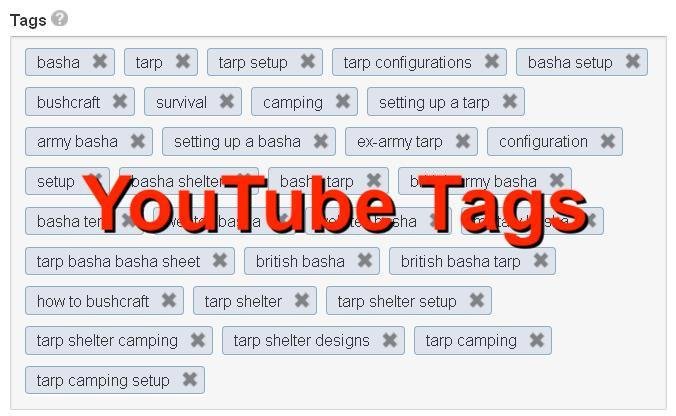
How Tags Work in 2026 (The Honest Truth)
YouTube’s algorithm has become much smarter. It now uses:
- Your video’s actual audio (transcripts)
- Visuals
- Title and description
- Viewer behavior (watch time, likes, comments)
Tags are secondary signals they confirm and add extra context. They help the algorithm:
- Categorize your video accurately
- Match it to search queries (including variations and misspellings)
- Connect it to similar videos for recommendations
Important reality check: Tags alone won’t save a bad video. But they can give a good video the extra push it needs to get discovered.
Key limit you must know: All your tags together can have a maximum of 500 characters (including spaces and commas). That’s roughly 10–20 smart tags for most videos.
Important Fundamentals Beginners Must Understand
Before you touch a single tag, lock these basics in your mind:
- Relevance is everything Only use tags that actually describe your video. Irrelevant tags can hurt your performance because they lead to low watch time.
- Tags are not hashtags
- Tags = hidden metadata in YouTube Studio
- Hashtags (#) = clickable words you put in your title or description (use only 2–5 for Shorts)
- Order can matter Many creators put their most important tag first (the one that best describes the video).
- Broad vs. Specific Mix both. Broad tags get more searches but higher competition. Specific (long-tail) tags are easier to rank for and attract the right viewers.
- YouTube is smart but it still needs your help Even with AI, clear tags reduce confusion and help your video get indexed faster.
Step-by-Step Guide: How to Add Tags Like a Pro
Here’s exactly how to do it in YouTube Studio (takes under 2 minutes once you get the hang of it):
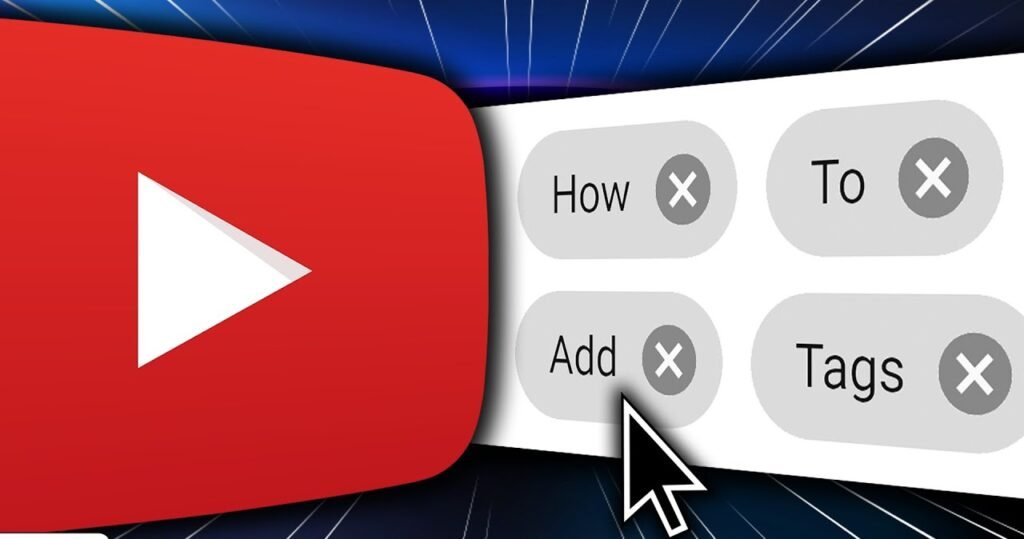
- Log into YouTube Studio (studio.youtube.com)
- Click “Create” → “Upload videos” (or edit an existing video)
- Fill in your Title and Description first (these are more important than tags)
- Scroll down to “More options” (or “Show more”)
- Find the Tags box
- Type each tag and press Enter after every one
- Keep an eye on the character counter (stays under 500)
- Click “Next” → add thumbnail, end screen, etc. → Publish
Pro tip: Save a default set of branded tags (your channel name + common phrases) so you don’t start from zero every time.
Best Practices and Strategies That Get More Views
Follow this simple framework for every video:
The Perfect Tag Formula (5–15 tags total)
- Tag 1: Exact main topic (your primary keyword)
- Tags 2–3: Close variations of the main keyword
- Tags 4–7: Long-tail phrases from your video content
- Tags 8–10: Related topics your audience also searches
- Last tags: Your channel name + series name (branded tags)
Example strategy:
- Use 2–3 high-search-volume tags
- Use 5–7 specific long-tail tags
- Always include 1–2 branded tags
Other winning strategies:
- Include common misspellings (e.g., “beginer” instead of “beginner”)
- Use both singular and plural forms
- Add synonyms (e.g., “tutorial”, “guide”, “how to”)
- Research what your competitors use (but don’t copy blindly)
Common Mistakes Beginners Make (And How to Fix Them)
| Mistake | Why It Hurts | Fix |
|---|---|---|
| Using irrelevant or trending tags | Low watch time → algorithm stops promoting | Only use tags that match your content 100% |
| Keyword stuffing (repeating the same word) | Looks spammy to YouTube | One clear version of each idea |
| Too many broad tags only | Impossible to rank | Mix broad + specific |
| Ignoring the 500-character limit | YouTube cuts off extra tags | Count characters as you go |
| Copying competitors’ tags exactly | Your video may not match | Use them as inspiration only |
| Never updating tags on old videos | Missing new search opportunities | Edit tags on evergreen videos every 3–6 months |
Example 1: Beginner Cooking Video
Video title: “How to Make Perfect Coffee at Home in 5 Minutes”
Good tags (total ~320 characters):
- how to make coffee at home
- easy coffee recipe
- homemade latte tutorial
- beginner coffee making
- perfect pour over coffee
- coffee hacks 2026
- morning coffee routine
- [Your Channel Name]
- best coffee at home
Bad tags (avoid):
- viral food challenge (irrelevant)
- iphone 17 (random trending)
Example 2: Gaming Video
Video title: “Best Beginner Tips for Fortnite Chapter 6”
Good tags:
- fortnite chapter 6 tips
- fortnite beginner guide 2026
- how to win fortnite easy
- fortnite tips and tricks
- fortnite battle royale
- [Your Channel Name] fortnite
- fortnite noob to pro
Pro Tips to Improve Results with Tags
- Test and track: After 7 days, check YouTube Analytics → “Traffic sources” → Search to see which terms are working.
- Update old videos: Go back to your top 10 videos and refresh tags.
- Combine with strong title + description: Tags work best when everything aligns.
- For Shorts: Focus more on 2–3 hashtags in the description/title rather than hidden tags.
- Think like your viewer: What exact words would a beginner type into YouTube search?
Top 5 Tools and Resources for YouTube Tags in 2026
You don’t have to guess anymore. These tools make tag research fast and smart:

- TubeBuddy (Best overall for beginners) Browser extension that shows keyword search volume, competition, and suggests perfect tags while you upload. Use the free version to start. Great for bulk editing old videos.
- VidIQ (Best for competitor research) Shows you exactly what tags top-ranking videos use. Gives a “keyword score” so you know if a tag is worth targeting. Excellent free tier.

- SEMrush YouTube Keyword Tool Professional-level data on search volume and trends across YouTube. Perfect when you want to go deeper than free tools.
- Keywordtool.io (Free long-tail magic) Generates hundreds of long-tail tag ideas based on what people actually search. Free version is very generous.
- RapidTags (Fastest free tag generator) Paste your video title or topic and instantly get a ready-to-use tag list. Super simple for quick uploads.
Bonus free resources:
- YouTube search bar autocomplete (type your topic and see suggestions)
- Google Trends (compare topic popularity)
Start with TubeBuddy or VidIQ’s free plans you’ll immediately see results.
Your Ready-to-Use Tag Checklist
Before you hit “Publish,” ask yourself:
- Do all tags relate 100% to my video?
- Did I include my main keyword first?
- Do I have a mix of broad + specific tags?
- Total characters under 500?
- Did I add my channel name as a branded tag?
- Did I research keywords with a tool?
Key Takeaways
- Tags are still valuable in 2026 they help the algorithm categorize and recommend your videos.
- Focus on relevance over quantity.
- The real power comes when tags work together with a great title, description, thumbnail, and content.
- Use tools to remove the guesswork.
- Consistency beats perfection start simple and improve over time.
You now have everything you need to use YouTube tags effectively. No more confusion. No more wasted potential.
The next step is yours: Open YouTube Studio right now, pick one of your recent videos, and spend 5 minutes optimizing its tags using the strategies above.
You’ve got this! Drop your best tag tip or a link to your channel in the comments I’d love to see what you create.
FAQs About YouTube Tags
1. Do YouTube tags still matter in 2026?
Yes, but they are secondary. Tags help the algorithm better understand and categorize your video, especially for spelling variations and specific topics. However, your title, thumbnail, description, and watch time are much more important. Use tags to support your content, not as the main strategy.
2. How many tags should I use?
Aim for 8–15 tags per video. The maximum is 500 characters (including spaces and commas). Quality beats quantity 10 highly relevant tags work better than 30 random ones.
3. Does the order of tags matter?
Yes, slightly. Put your most important tag (usually the exact main keyword from your title) first. After that, add variations, long-tail phrases, and end with branded tags (your channel name).
4. Should I copy tags from other YouTubers?
No. Use competitor tags only as inspiration. Always customize them to match your exact video content. Irrelevant tags can confuse the algorithm and hurt your video’s performance.
5. Can I use the same tags for every video?
You can reuse some branded tags (e.g., your channel name, series name) on every video. But the main topic tags should be unique to each video so YouTube can match it to the right searches.
6. What’s the difference between tags and hashtags?
- Tags = Hidden metadata you add in YouTube Studio (not visible to viewers).
- Hashtags (#) = Clickable words you put in your title or description (use only 2–5, especially in Shorts).
7. Should I add tags for misspellings?
Yes, it’s one of the few cases where YouTube officially recommends it. Examples: “beginner” and “beginer”, “tutorial” and “tuturial”.
8. Do tags help with YouTube Shorts?
Tags help a little, but hashtags in the description and strong title matter more for Shorts. Focus on 3–5 very specific tags for Shorts.