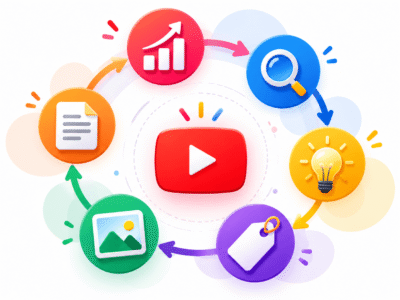

YouTube SEO is the process of optimizing your videos and channel so they appear higher in YouTube search results, recommended videos, and the homepage. In 2026, it remains one of the most effective ways for beginners to grow a channel organically without spending money on ads. By focusing on what viewers actually want and how the YouTube algorithm evaluates content, you can increase views, watch time, and subscribers steadily.
What Is YouTube SEO and How Does It Work?
YouTube functions as the world’s second-largest search engine after Google. People type queries like “how to bake chocolate cake for beginners” or “best budget smartphone 2026 review.” YouTube SEO helps your video match those searches and viewer interests.
The algorithm ranks videos based on four main signals in 2026:
- Click-through rate (CTR): How often people click your video when they see the thumbnail and title.
- Watch time and audience retention: How long viewers stay watching and whether they watch most of the video.
- Engagement: Likes, comments, shares, and saves in the first 48 hours (and beyond).
- Relevance: How well your title, description, tags, and content match the search query.
YouTube tests your video on a small audience first. If it performs well (high CTR and retention), it pushes the video to more people. Strong performance creates a positive cycle of more impressions and views.
Real example: A beginner cooking channel uploads a video titled “Easy Chocolate Cake Recipe.” Without SEO, it gets 50 views. With optimized title, thumbnail, and description, the same video reaches 5,000 views in the first week because it matches searches and keeps viewers watching until the end.
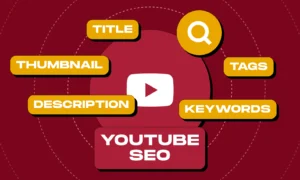
Important Fundamentals Beginners Must Understand
Before optimizing individual videos, build these foundations:
- Viewer Intent Matters Most Understand why someone searches for your topic. Are they looking for quick tips (informational), a step-by-step tutorial (how-to), or a product comparison (commercial)? Create content that fully satisfies that intent.
- Watch Time Beats Raw Views A 10-minute video where people watch 8 minutes performs better than a 20-minute video where people drop off after 2 minutes.
- Consistency Builds Channel Authority Upload on a schedule. YouTube favors channels that regularly produce content in the same niche.
- Mobile-First Viewing Most viewers watch on phones. Titles under 60 characters show fully on mobile. Thumbnails must be clear at small sizes.
- Shorts and Long-Form Work Together Use Shorts to attract new viewers and drive them to your longer videos through end screens and cards.
Key takeaway: YouTube rewards videos that keep people on the platform longer and make them happy, not just videos stuffed with keywords.
Step-by-Step Guide to Get Started with YouTube SEO
Follow this exact process for every video in 2026.

Step 1: Keyword Research
Find terms people actually search for with lower competition.
- Open YouTube and type a broad topic, such as “beginner photography.”
- Note the autocomplete suggestions.
- Use free tools (listed later) to check search volume and competition.
- Choose keywords with decent search volume but fewer strong competing videos.
Example: Instead of “photography tips” (very competitive), target “beginner photography tips for smartphone 2026” if it shows real demand and weaker competition.
Aim for 1 primary keyword and 2–3 related secondary keywords per video.
Step 2: Create the Video with Retention in Mind
- Hook in the first 5–15 seconds: Tell viewers exactly what they will learn and why it matters.
- Structure clearly: Use chapters or on-screen text for easy navigation.
- Keep pacing engaging: Mix talking, visuals, and simple edits.
- End with a strong call-to-action: Ask for likes, comments, and subscriptions.
Step 3: Optimize the Title
- Include the primary keyword near the beginning.
- Keep it under 60–70 characters when possible.
- Make it benefit-driven and clickable without clickbait.
Good example: “How to Start Beginner Photography with Your Smartphone in 2026”
Bad example: “Photography Tips!!! Must Watch!!!”
Step 4: Write a Detailed Description
- First 100–150 characters: Include the keyword and a hook (this shows in search results).
- Add timestamps for chapters (example: 0:00 Introduction, 2:30 Camera Settings).
- Include full transcript or key points.
- Add relevant links, related videos, and calls-to-action.
- Naturally use secondary keywords.
Step 5: Add Tags and End Screens
- Use 10–15 tags: Primary keyword, variations, and broad niche tags.
- Add cards and end screens linking to other videos or playlists.
Step 6: Design a Custom Thumbnail
- High contrast, clear face or main object, large text with 3–5 words.
- Test different versions if possible.
Step 7: Upload and Promote in the First 48 Hours
- Share on social media, community posts, and relevant forums.
- Reply to every early comment to boost engagement.
Best Practices and Strategies for 2026
- Focus on Series and Playlists: Group related videos. Playlists increase session watch time.
- Improve Retention with On-Screen Elements: Use text overlays, B-roll, and graphics.
- Leverage Analytics: Check YouTube Studio for traffic sources, audience retention graphs, and top search terms.
- Combine Search and Browse Optimization: Titles and thumbnails help both search and homepage recommendations.
- Create Content That Sparks Comments: Ask questions in your video and description.
- Update Old Videos: Refresh titles, descriptions, and thumbnails of performing videos for a second boost.
Framework for video success (KVS approach):
- Keyword (research first)
- Video (create content that beats current top results)
- SEO (optimize metadata)
Apply this to every upload.
Common Mistakes Beginners Make
- Keyword Stuffing: Repeating the keyword unnaturally in titles or descriptions. It hurts readability and can lower retention.
- Clickbait Thumbnails and Titles: Promising something the video does not deliver. Viewers leave quickly, and the algorithm notices.
- Ignoring Analytics: Uploading without checking what worked in previous videos.
- Poor Audio or Lighting: Viewers click away if the quality feels unprofessional.
- No Clear Hook: Starting with long intros instead of delivering value immediately.
- Targeting Only High-Volume Keywords: Beginners struggle against big channels. Start with specific, long-tail keywords.
- Forgetting Mobile Experience: Small text on thumbnails or titles that get cut off.
Avoid these, and you will see faster growth than most new creators.
Practical Examples and Real Use Cases
Example 1: Fitness Channel
Keyword: “beginner home workout no equipment 2026”
Title: “10 Minute Beginner Home Workout No Equipment (2026 Routine)”
Thumbnail: Smiling person in workout clothes with big text “Burn Fat at Home”
Description: Starts with the keyword, includes timestamps for each exercise, and ends with a playlist link.
Result: High retention because viewers follow along easily.
Example 2: Tech Review Channel
Keyword: “best budget earbuds under 2000 rupees”
Video compares three products with clear pros/cons.
Description includes buying links and timestamped sections.
Engagement rises because viewers comment their favorite.
Use these patterns in your niche.
Tips to Improve Results with YouTube SEO
- Publish consistently (1–2 videos per week if possible).
- Study your top 5 competitor videos. Note their length, structure, and thumbnail style, then make yours better.
- Add closed captions (auto-generated then edit) for better accessibility and SEO.
- Use community posts and Stories to keep your audience active between videos.
- Track progress weekly in YouTube Analytics. Adjust based on what drives the most watch time.
- Experiment with video length: Test 8–12 minutes for tutorials and longer for in-depth topics if retention holds.
Top Tools and Resources for YouTube SEO in 2026
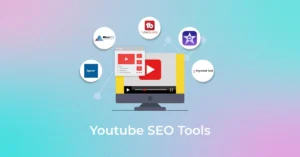
These tools help beginners without overwhelming them. Start with free versions.
- vidIQ Browser extension and dashboard that shows keyword search volume, competition scores, and tag suggestions directly on YouTube. Use it for research and to analyze competitor videos. Free plan is sufficient to start; upgrade for advanced tracking.
- TubeBuddy Similar to vidIQ but with strong A/B testing for titles and thumbnails, plus bulk processing tools. Great for optimizing many videos at once. Beginners love its keyword explorer and tag suggestions.
- YouTube Studio (Built-in) Free and essential. Check analytics, audience retention graphs, traffic sources, and search terms that bring viewers. Use it daily to guide your next video topics.
- Google Trends Free tool to compare keyword popularity over time and by region. Combine with YouTube search suggest for accurate demand signals.
- Keyword Tool or YouTube Search Suggest Free autocomplete tools that reveal real questions people type. Type your topic and note long-tail phrases.
Additional resources:
- YouTube Help Center for official algorithm guidance.
- Free YouTube Analytics reports inside Studio.
- Competitor channels in your niche (study without copying).
Start with vidIQ or TubeBuddy free tiers plus YouTube Studio. You will have everything needed for effective optimization.
Key Takeaways and Your Action Plan
YouTube SEO in 2026 rewards quality content that satisfies viewers and keeps them watching. Focus on keyword research, strong thumbnails and titles, high retention, and genuine engagement.
Quick checklist for your next video:
- Completed keyword research with low-to-medium competition
- Title includes primary keyword early and promises clear value
- Custom thumbnail with high contrast and readable text
- Description with hook, timestamps, and keywords
- Tags include primary and related terms
- Video has strong hook in first 15 seconds
- Call-to-action for likes, comments, and subscriptions
- Shared in first 48 hours and engaged with comments
Apply these steps consistently for 10–15 videos. Track results in YouTube Studio and refine your approach. Most beginners see noticeable growth within 2–3 months when they follow a structured process.
You now have a complete, practical reference for YouTube SEO. Start optimizing your next video today, and focus on delivering real value to your audience. Consistent effort combined with these strategies will help your videos rank higher and grow your channel in 2026.
FAQs
1. What is YouTube SEO in 2026?
YouTube SEO is the process of optimizing your video titles, descriptions, thumbnails, and content so your videos rank higher in YouTube search and recommendations.
2. Does YouTube SEO still work in 2026?
Yes. YouTube SEO remains highly effective in 2026. The algorithm still prioritizes click-through rate, watch time, and audience retention.
3. How long does it take for YouTube SEO to show results?
Most beginners see noticeable improvements after 10–15 properly optimized videos, usually within 2–3 months of consistent uploading.
4. What is the most important factor for YouTube ranking?
Watch time and audience retention are the strongest ranking factors. Even with perfect titles and thumbnails, poor retention hurts ranking.
5. Should beginners focus on Shorts or long-form videos for SEO?
Both. Use Shorts to gain quick views and attract new subscribers, then direct them to your long-form videos for better watch time and monetization.
6. Is it necessary to use paid tools for YouTube SEO? No. You can start successfully with free tools like YouTube Studio, Google Trends, and YouTube search suggestions. vidIQ and TubeBuddy free versions help speed up the process.
7. How do I choose the right keywords for my YouTube video?
Search your topic on YouTube, check autocomplete suggestions, and pick long-tail keywords that have decent search volume but lower competition.