
YouTube channel branding is the process of creating a consistent, recognizable identity for your channel that helps viewers instantly understand what you offer and why they should subscribe. It goes beyond a nice logo or banner it combines visual elements, tone of voice, content style, and overall experience to build trust and loyalty.
In 2026, strong YouTube channel branding is more important than ever. With millions of channels competing for attention, a professional and cohesive look helps your channel stand out in search results, recommendations, and on mobile devices. Good branding turns casual viewers into loyal subscribers and fans.
What YouTube Channel Branding Is and How It Works
YouTube channel branding creates a unified visual and verbal identity across every part of your channel. This includes:
- Visual elements: Logo (profile picture), channel banner, color scheme, fonts, thumbnails, and video intros/outros.
- Verbal elements: Channel description, video titles, voice/tone in videos, and community interactions.
- Experience elements: Content style, posting schedule, playlists, and end screens.
It works by building recognition and trust. When viewers see consistent colors, fonts, and styles, your channel feels professional and reliable. YouTube’s algorithm also favors channels with clear themes and high engagement, which strong branding supports by attracting the right audience.
Think of brands like MrBeast or Marques Brownlee (MKBHD). You recognize their content immediately because of consistent thumbnails, energy, and design. That is effective YouTube channel branding in action.
Important Fundamentals Beginners Must Understand
Before designing anything, grasp these core principles:
- Consistency: Use the same colors, fonts, and style everywhere. Inconsistent branding confuses viewers and hurts recognition.
- Clarity: Viewers should know your niche and value within seconds of landing on your channel.
- Authenticity: Your branding should reflect your real personality and values. Forced styles feel inauthentic and drive subscribers away.
- Audience Focus: Design for your ideal viewer. A tech review channel for beginners needs clean, simple designs. A gaming channel might use bold, energetic styles.
- Mobile-First Design: Most views happen on phones, so test banners and thumbnails on mobile screens.
Key Takeaway: Branding is not decoration it is a strategic tool that supports your content and growth.
Step-by-Step Guide to Get Started with YouTube Channel Branding
Follow these steps to build your branding from scratch.
Step 1: Define Your Brand Identity Answer these questions:
- What is your niche?
- Who is your target audience?
- What unique value do you provide?
- What personality do you want to show (fun, professional, energetic, calm)?
Example: A cooking channel for busy professionals might choose “Quick, healthy meals with simple ingredients” as its core message, with clean modern colors and a friendly tone.
Step 2: Choose Your Color Palette Select 3-5 colors: one primary, one secondary, and neutrals. Use tools to generate harmonious palettes. Limit yourself to avoid a messy look.
Step 3: Design Core Visual Assets
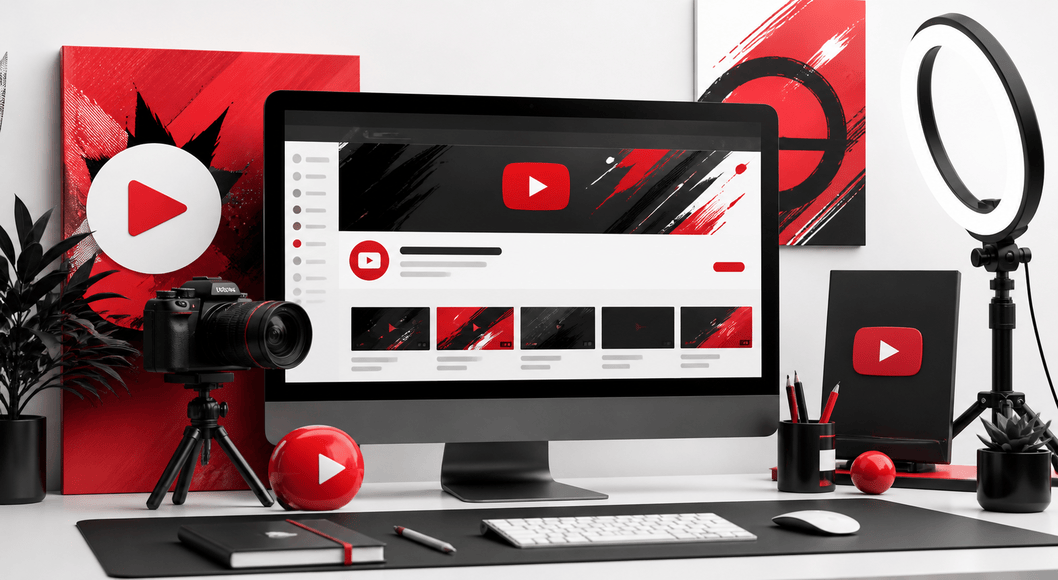
- Profile Picture/Logo: Simple, recognizable image or text. Minimum 800×800 pixels. Often a stylized initial or clear face.
- Channel Banner: 2560×1440 pixels. Include channel name, tagline, and a call-to-action. Leave space for profile picture overlay.
- Thumbnails: Consistent layout, bold text, high-contrast images, and your face or key visual when possible.
Step 4: Set Your Channel Basics
- Write a clear channel description (include keywords, what viewers get, links).
- Create playlists to organize content.
- Add a channel trailer for new visitors.
Step 5: Develop Video Style Guidelines Decide on intro length, outro elements, lower thirds, background music style, and editing pace. Document these rules for consistency.
Step 6: Test and Launch Upload a few videos, check how everything looks on different devices, and gather feedback before full commitment.
Best Practices and Strategies for YouTube Channel Branding
- Maintain visual consistency across thumbnails, banners, and videos.
- Use your banner to communicate value (e.g., “Daily Tech Tips for Beginners”).
- Create a custom video watermark (subscribe button) that appears in videos.
- Optimize for SEO while keeping branding intact — include keywords naturally in titles and descriptions.
- Refresh branding every 1-2 years as your channel grows, but keep core elements recognizable.
- Build community with consistent voice in comments and community posts.
Branding YouTube Tips: Treat every element as part of a system. A strong channel design makes your content more clickable and shareable.
Practical Examples and Real Use Cases
- Tech Review Channel: Clean white/gray/blue palette, minimalist logo, thumbnails with product + bold “Review” text + face reaction.
- Fitness Channel: Energetic red/black colors, dynamic action shots in thumbnails, motivational tagline on banner.
- Cooking Channel: Warm earth tones, food close-ups, simple sans-serif fonts.
A beginner who followed this approach saw their click-through rate increase by organizing thumbnails with the same text position and color accents.
Common Mistakes Beginners Make
- Inconsistent thumbnails that make the channel look disorganized.
- Overly complicated designs that don’t load well on mobile.
- Generic banners with just a logo and no value proposition.
- Copying successful channels exactly instead of adapting ideas to their own style.
- Neglecting the channel description and trailer.
- Changing branding too frequently, confusing returning viewers.
Avoid these by starting simple and building gradually.
Tips to Improve Results with YouTube Channel Branding
- Create a simple brand style guide document (colors, fonts, do’s and don’ts).
- Test thumbnails with friends or A/B tools before publishing.
- Use your branding in cross-promotion on other social platforms.
- Analyze YouTube Analytics to see which designs perform best.
- Update older videos’ thumbnails and endscreens to match current branding.
- Focus on channel design that feels professional yet approachable.
Top Tools and Resources for YouTube Channel Branding
Here are practical tools beginners can use effectively in 2026:
Canva: Excellent for beginners. Offers YouTube-specific templates for banners, thumbnails, and logos. Use the Brand Kit feature to save colors and fonts for one-click consistency. Free tier is powerful; paid version adds more options.
TubeBuddy or vidIQ: Browser extensions for channel optimization. They help with keyword research, tag suggestions, and thumbnail A/B testing. Use them to refine titles and descriptions while maintaining your brand voice.
Adobe Express or Photoshop: For more advanced designs. Great when you need custom illustrations or photo editing. Start with Express for simplicity.
Figma: Free professional design tool. Ideal for creating reusable templates and collaborating if you have a team.
Looka or similar AI logo makers: Quickly generate professional logos based on your niche and style preferences.
Additional resources include free YouTube Studio tools for customization and online tutorials for specific designs.
Final Checklist for Your YouTube Channel Branding
- Clear niche and audience defined
- Consistent color palette chosen
- Professional logo/profile picture uploaded
- Eye-catching, informative banner designed
- Thumbnail template created
- Channel description written with keywords and links
- Channel trailer uploaded
- Brand style guide documented
- First 5-10 videos branded consistently
- Tested on mobile devices
Conclusion
YouTube channel branding is one of the smartest investments you can make as a creator. It helps you attract the right audience, build recognition, and grow faster with less effort. Start simple, stay consistent, and refine as you learn what resonates with your viewers.
FAQs
1. What is YouTube channel branding?
YouTube channel branding is the process of creating a consistent visual and messaging identity (logo, banner, colors, thumbnails, tone) so viewers can easily recognize and trust your channel.
2. Why is good channel branding important for growth?
Strong branding increases click-through rates, builds audience loyalty, improves subscriber retention, and helps your channel stand out in search results and recommendations.
3. How often should I update my YouTube branding?
You should refresh your branding every 1–2 years or when your channel direction changes significantly. Keep core elements (colors, logo style) consistent so existing fans still recognize you.
4. What is the best size for YouTube banner and logo?
Channel banner: 2560 x 1440 pixels. Profile picture (logo): 800 x 800 pixels minimum. Always test how they look on mobile devices.
5. Do I need expensive tools for YouTube channel design?
No. Free or affordable tools like Canva are more than enough for beginners to create professional banners, thumbnails, and logos.
6. Can I change my channel name after branding?
Yes, but it’s better to choose a final name early. Changing your name frequently can confuse viewers and hurt your branding efforts.