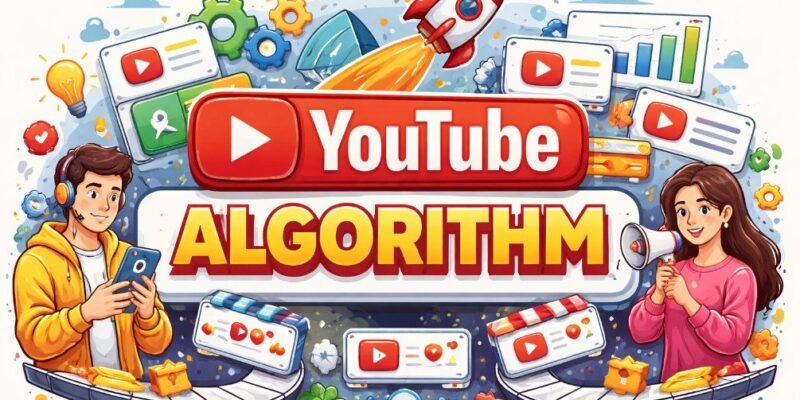

YouTube algorithm explained – if you’re a beginner creator in 2026, those three words probably feel like a mysterious black box that decides whether your videos get seen or buried forever.
The good news? It’s not magic. It’s a smart system designed to show people videos they’ll actually enjoy watching. Once you understand how YouTube works and the simple rules it follows, you can work with the algorithm instead of against it.
How YouTube Works: The Big Picture in 2026
YouTube doesn’t have one single algorithm. It runs several smart systems at the same time:
- Home page / Browse feed – decides what appears when you open the app.
- Suggested videos (the “Up next” sidebar and autoplay).
- Search results – what shows up when someone types a question.
- Shorts feed – its own fast-moving algorithm.
- Notifications and email alerts for subscribers.
The algorithm’s only job is to keep you watching longer. It asks one simple question for every viewer: “Will this specific person enjoy this video right now and keep watching?”
It measures success using three main signals:
- Click-through rate (CTR) – Do people click when they see your thumbnail and title?
- Watch time & retention – How long do they actually watch? (Average View Duration is super important.)
- Viewer satisfaction – Did they finish the video, like it, comment, or watch another video from your channel afterward?
In 2026, YouTube got even smarter. It now understands the meaning of your video (not just keywords) using AI “semantic fingerprints.” It also rewards momentum: if one video performs well, your next upload gets a little boost in testing. Low-quality or repetitive AI-generated content gets pushed down fast.
Key takeaway: Stop chasing subscribers. Focus on making videos that match what real people want to watch right now.
Important Fundamentals Beginners Must Understand

Before you upload anything, lock these basics into your brain:
- Watch time is king – The algorithm loves videos that hold attention. A 10-minute video watched for 6 minutes beats a 20-minute video watched for 4 minutes.
- Your first audience matters – YouTube tests every new video on a small group of people who already like your niche. If they love it, it gets shown to more people.
- Interest-based discovery – In 2026, YouTube cares more about “What topic are people hungry for?” than “How many subscribers do you have?”
- Diversity rule – The algorithm avoids showing too many similar videos in a row so viewers don’t get bored.
- Shorts vs Long-form – Shorts are great for discovery and funnels. Long-form builds deeper watch time and loyalty.
Beginner checklist:
- Pick one clear niche (e.g., “budget cooking for students” instead of just “cooking”)
- Aim for 8–15 minute videos (or 30–60 seconds for Shorts)
- Upload at least once per week consistently
Step-by-Step Guide to Get Started with the YouTube Algorithm
Here’s exactly what to do as a complete beginner in 2026:
- Set up your channel properly Create a clear channel name, banner, and profile picture that tell viewers what you’re about in 3 seconds.
- Find winning video ideas Use YouTube search suggestions or tools (more on these later) to find topics people are already searching for.
- Create the video with retention in mind
- Hook in the first 5 seconds (“If you hate cooking but want healthy meals, this 8-minute recipe changed everything for me…”).
- Structure: Promise → Deliver → Recap.
- Add chapters, on-screen text, and B-roll to keep eyes on screen.
- Optimize title, thumbnail, and description
- Title: Include main keyword naturally + curiosity or benefit.
- Thumbnail: Bright, face with big expression, bold text (test 2–3 versions).
- Description: First 100–150 characters should hook + include timestamps and links.
- Upload and promote the first 24 hours Share on social media and ask early viewers to comment. Early engagement tells the algorithm your video is good.
- Check YouTube Analytics after 48 hours Look at “Audience retention” graph and “Impressions” sources.
Repeat this process every week and you’ll start seeing the algorithm work for you.
Best Practices and Strategies (YouTube Algorithm Tips)
Here are the youtube algorithm tips that actually move the needle in 2026:
- Front-load value – Give the best part in the first 30–60 seconds.
- Create “viewer journeys” – End videos with “Watch this next” cards and playlists so people binge your content.
- Mix Shorts + long-form – Post 3–5 Shorts per week that link to your full videos (this is the hottest funnel right now).
- Use end screens and cards – Drive people to your best-performing videos.
- Reply to every comment in the first 24 hours – This boosts engagement signals.
- Build series – People love “Part 2” videos; the algorithm rewards connected content.
- A/B test everything – Change one thumbnail or title at a time and watch what performs.
Pro strategy for 2026: When one video becomes an “outlier” (performs way above average), immediately make a follow-up video on the same topic. The momentum boost is real.
Common Mistakes Beginners Make (and How to Fix Them)
- Clickbait titles/thumbnails – High CTR but terrible retention = algorithm stops showing your video.
- Long, boring intros – Viewers click away in the first 15 seconds → dead video.
- Uploading randomly – No consistency = no momentum.
- Ignoring analytics – You’re flying blind.
- Copying big creators exactly – The algorithm favors fresh angles, not duplicates.
- Overusing AI for full videos – YouTube now detects and demotes low-effort repetitive content.
Fix: Always ask “Would I watch this entire video myself?” before uploading.
Practical Examples and Real Use Cases
Example 1: Student cooking channel A beginner posted “5-minute microwave meals for college” with a bright thumbnail showing the finished dish and the word “CHEAP”. CTR was high, retention was 65%. YouTube pushed it to more students → 50k views in first month. The creator then made a Part 2 using the same style and got even more reach thanks to momentum sequencing.
Example 2: Tech review channel Creator noticed one “budget laptop under $400” video got 3x average views. Instead of moving to the next gadget, they made a series: “Best laptops for students 2026”. Playlists and end screens kept viewers inside the channel → higher session time → algorithm loved it.
Real use case: Many small creators in 2026 report that mixing one high-retention long-form video + 5 related Shorts per week doubled their monthly views without extra effort.
YouTube Algorithm Tips to Improve Results Fast
- Track your average view duration every week and aim to improve it by 5–10%.
- Study your outlier videos – duplicate what worked (same style, length, hook).
- Post when your audience is online (check YouTube Analytics → Audience tab).
- Add closed captions (YouTube auto-generates them – just edit for accuracy).
- End every video with a clear call-to-action: “Comment your biggest struggle below!”
Essential Tools and Resources for 2026

You don’t need expensive gear, but these five tools make the youtube algorithm explained much easier to master:
1. VidIQ Free and paid versions. Shows keyword search volume, competition, and “Idea Score.” Use it to find video topics before you film. The AI Coach gives beginner-friendly suggestions. Perfect for keyword research and spotting trends.
2. TubeBuddy Browser extension that helps with tags, bulk updates, thumbnail A/B testing, and competitor analysis. Use it every time you upload to optimize titles and descriptions fast.
3. YouTube Studio (built-in & free) Your most important tool. Check Analytics daily. Focus on the “Retention” graph and “Traffic sources” to see exactly what’s working.
4. Canva Pro Create eye-catching custom thumbnails in minutes. Use their YouTube thumbnail templates and magic studio AI to test multiple designs quickly.
5. CapCut Free mobile/desktop editor with AI auto-captions, effects, and trending sounds. Great for beginners making both Shorts and long-form videos. Export directly to YouTube.
Start with the free versions of VidIQ and TubeBuddy + YouTube Studio. That stack is enough to grow your first 1,000 subscribers.
Final Key Takeaways & Your 2026 Action Plan
The YouTube algorithm explained is actually simple once you remember the core truth: Give viewers what they want to watch longer, and YouTube will show your videos to more people.
- Focus on retention > everything else.
- Be consistent.
- Optimize every single video.
- Use data (analytics + tools) to improve.
- Enjoy the process – the algorithm rewards creators who make content they’re passionate about.
Your 7-day starter plan:
- Pick your niche and film your first video this week.
- Optimize title + thumbnail using VidIQ.
- Upload and share with friends for early engagement.
- Check analytics after 48 hours.
- Make one improvement based on what you see.
- Repeat every week.
You now have everything you need. No more guessing. No more searching other websites.
Go create your next video knowing exactly how YouTube works in 2026. The algorithm is waiting to reward you – start today!
Frequently Asked Questions (FAQs)
Q1: What is the YouTube algorithm in 2026?
The YouTube algorithm is a smart recommendation system that decides which videos to show to which viewers. Its main goal is to keep people watching longer by promoting videos with high click-through rate, good watch time, and positive viewer satisfaction.
Q2: Does the YouTube algorithm still favor watch time in 2026?
Yes. Watch time and audience retention remain the most important factors. Videos that keep viewers watching longer get recommended more.
Q3: How long does it take for the YouTube algorithm to promote a new video?
Usually within the first 24–48 hours. The algorithm tests your video on a small audience first. If they like it, it pushes the video to more people.
Q4: Should beginners focus on Shorts or long-form videos?
Both! Use Shorts for quick discovery and to bring new viewers to your channel. Use long-form videos (8–15 minutes) to build watch time and loyal subscribers.
Q5: What is the best way to improve my video’s performance?
Focus on three things:
- Eye-catching thumbnail + clickable title
- Strong hook in the first 5–10 seconds
- High audience retention throughout the video
Q6: Do I need many subscribers for the algorithm to push my videos?
No. In 2026, the algorithm cares more about how well your video matches viewer interest than your subscriber count. Even small channels can go viral if the content is good.