
If you’re a beginner searching for youtube shorts ideas in 2026, you’re in the right place. YouTube Shorts are short, vertical videos (usually 15–60 seconds, though some go up to 3 minutes) that can explode your channel fast. They appear in a dedicated feed, just like TikTok, and millions of people scroll through them every day.
What Are YouTube Shorts and How They Work
YouTube Shorts are quick, full-screen vertical videos designed for mobile. You shoot or edit them in 9:16 aspect ratio (tall and skinny) so they fill the phone screen perfectly.
How the 2026 algorithm actually works (simple explanation): The algorithm doesn’t care about your subscriber count at first. Instead, it tests every new Short with a small “seed audience.” It watches real viewer behavior in the first few hours:
- Swipe-away rate: If people swipe past your video quickly, the algorithm stops showing it.
- Watch percentage: How much of the video people actually watch (higher is better).
- Rewatches and loops: If viewers replay your Short, it gets pushed harder.
- Engagement: Likes, comments, shares, and saves all help.
If the test audience loves it, the Short moves to a bigger audience and can go viral. That’s why a strong opening (hook) is more important than fancy editing.
In short: YouTube Shorts reward videos that stop the scroll and keep people watching until the end or even watching again.
Important Fundamentals Beginners Must Understand
Before you create your first Short, master these basics:
- Format: Always shoot or edit in vertical 9:16 (1080×1920 pixels).
- Length: 15–60 seconds works best for most beginners. Longer Shorts (up to 3 minutes) can work if the content is highly rewatchable.
- Hook rule: The first 1–3 seconds must grab attention instantly.
- Sound matters: Trending audio or clear voice + captions = higher retention.
- Mobile-first: Most people watch on phones, so text should be big and easy to read.
These fundamentals separate beginners who get 50 views from those who get 50,000+.
Step-by-Step Guide to Get Started with YouTube Shorts Ideas
Here’s exactly how to begin, even if you have zero experience:
Step 1: Set up your channel
- Create or update your YouTube channel.
- Add a clear profile picture and banner.
- Write a short channel description with your niche (e.g., “Daily cooking hacks and easy recipes”).
- Turn on Shorts shelf in YouTube Studio.
Step 2: Pick one niche Choose something you enjoy and that has demand. Popular 2026 niches include quick recipes, life hacks, gaming clips, pet videos, facts, and “day in the life.”
Step 3: Brainstorm youtube shorts ideas daily Spend 10 minutes looking at the Shorts feed or trending audio. Ask: “What would make me stop scrolling?”
Step 4: Film or record Use your phone. Good lighting and clear audio are enough no expensive camera needed.
Step 5: Edit quickly Add text overlays, music, and cuts (more on tools below).
Step 6: Upload and optimize
- Write a catchy title (include keywords like “Easy 30-Second Hack”).
- Add a description with 1–2 hashtags.
- Choose a custom thumbnail frame if possible.
- Post consistently (3–5 times per week).
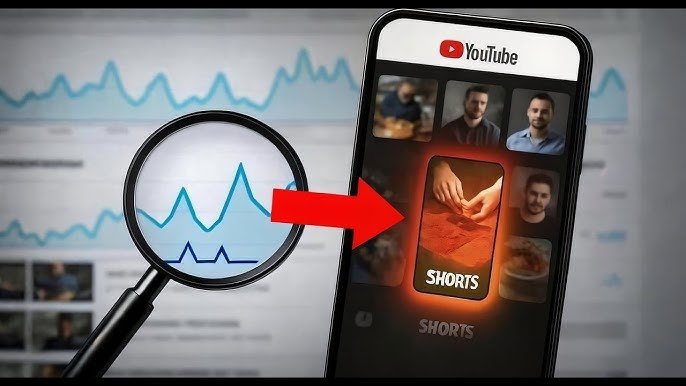
Step 7: Check analytics after 24 hours In YouTube Studio → Analytics → Shorts, look at “Viewed vs Swiped away” and average watch time. Double down on what works.
Viral Shorts Ideas
Viral shorts ideas are the ones that get shared and rewatched. Here are proven categories that are working extremely well in 2026:
- Before & After transformations: “My messy room after 7 days of cleaning” or “Skin before vs after this 60-second routine.”
- POV stories: “POV: You’re the main character in a movie” or “POV: Your pet when you leave the house.”
- Quick facts or myths: “This common belief about sleep is completely wrong.”
- Rescue or feel-good clips: Firefighter rescues, animal saves, or heartwarming moments (with permission).
- Brain-rot / low-effort humor: Silly skits, trending sounds with funny faces, or absurd “what if” scenarios.
- Top 5 lists: “Top 5 animals that look fake” or “Top 5 kitchen gadgets under ₹500.”
- Life hacks & experiments: “I tried this viral cleaning hack here’s what happened.”
These formats naturally create curiosity and high retention.
Content Ideas Shorts
Here are ready-to-use content ideas shorts you can film this week (just swap in your niche):
- “One thing I wish I knew at 18” – Share a quick lesson with text on screen.
- Recipe in 30 seconds: “5-ingredient microwave mug cake.”
- Daily routine hack: “How I make my bed in 8 seconds.”
- Gaming moment: Funny fail or epic win clip.
- Pet reaction: Show your dog’s face when you say “walk.”
- Myth bust: “Does this phone charger really charge faster? Testing it live.”
- Day-in-the-life snippet: “5 minutes in my morning as a student.”
- Product hack: “Turn your old T-shirt into a shopping bag in 20 seconds.”
- AI or tech tip: “Ask ChatGPT this one prompt for better ideas.”
- Relatable fail: “When you finally cook something and it actually tastes good.”
Post 1–2 of these per week and track which get the most rewatches.
Best Practices and Strategies
- Hook every video: Start with a question, surprising fact, or visual surprise.
- Use trending audio: Go to the Shorts feed and reuse popular sounds.
- Add big text overlays: People watch without sound.
- End with a CTA: “Comment your favorite hack!” or “Watch the full video on my channel.”
- Create loops: End the video so it feels natural to replay.
- Post at peak times: Check your YouTube Analytics for when your audience is online.
- Cross-promote: Link Shorts to your longer videos to grow both.
Actionable checklist before posting:
- Hook in first 3 seconds?
- Text easy to read on mobile?
- Video under 60 seconds?
- Trending or relevant audio?
- Clear call-to-action at the end?
Common Mistakes Beginners Make
- Weak or missing hook → High swipe-away rate.
- Posting randomly → Misses the algorithm’s best testing window.
- Changing niches too soon → After only 5–10 Shorts. Give it 20–30 videos first.
- Ignoring analytics → Never learning what your audience actually likes.
- Over-editing → Fancy effects don’t matter if people swipe away in 2 seconds.
- No captions → Loses half your audience who watch silently.
Avoid these and you’ll already be ahead of 90% of new creators.
Practical Examples and Real Use Cases
- A beginner cooking channel posted “3-ingredient pasta in 45 seconds” with big text and trending music. It got 1.2 million views in the first week because the hook was “No stove needed!” and it looped perfectly.
- A pet owner filmed “POV: My cat when I open tuna” using a popular sound. It hit 800K views and brought 12K new subscribers.
- A student shared “I studied for 7 days using this one trick” (before-and-after study desk). The rewatch rate was sky-high because viewers wanted to see the final results again.
These examples show that simple, relatable, and fast content wins.
Tips to Improve Results with YouTube Shorts Ideas
- Film 5–10 Shorts in one batch to stay consistent.
- Study your top 3 performing Shorts and make more like them.
- Test 2 versions of the same idea (different hooks) to see what works.
- Reply to every comment in the first 24 hours algorithm loves engagement.
- Turn your best Shorts into long-form videos for extra revenue.
- Track progress weekly: Aim for improving average watch percentage.
Top Tools and Resources for Beginners
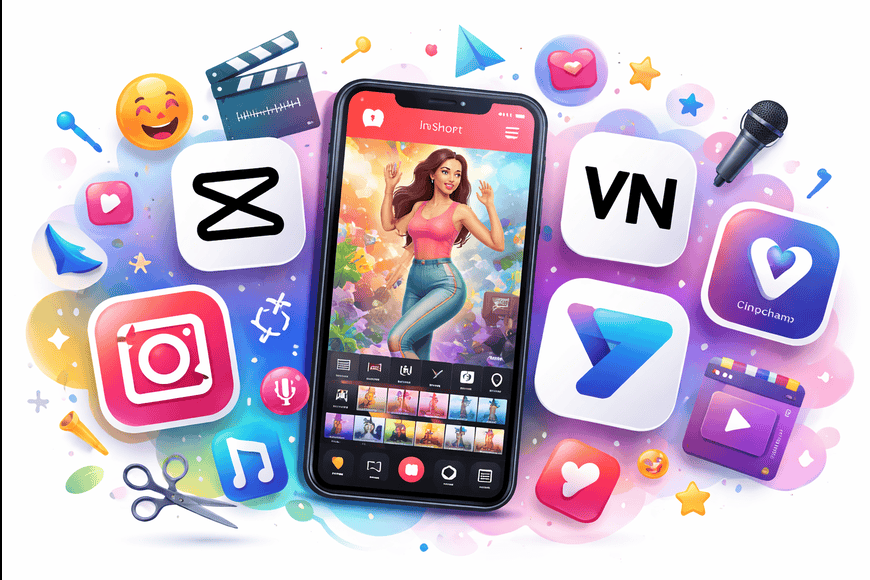
You don’t need expensive gear. These 5 free or low-cost tools are what successful Shorts creators use in 2026:
1. CapCut Free mobile app with thousands of trending effects, auto-captions, and music. Perfect for beginners. Use it to add text, transitions, and trending sounds in minutes. Ideal when you want quick, professional-looking Shorts.
2. InShot Super simple mobile editor great for trimming clips, adding music, and resizing to 9:16. Best for quick edits on your phone when you’re on the go.
3. VN Video Editor Completely free, no watermark, and very beginner-friendly. Excellent for clean cuts and layering text. Many creators switched to this in 2026 for privacy and speed.
4. VEED.IO Online tool (works in browser) with powerful AI auto-captions and subtitles. Great when you want polished text that matches the audio perfectly. Free tier is enough to start.
5. Clipchamp (built into Windows or free online) Microsoft’s easy editor with templates made for Shorts. Perfect if you want to edit on a computer instead of your phone. Includes stock music and effects.
Bonus resource: YouTube Studio app (free) for analytics and uploading directly from your phone.
Start with just CapCut or VN you can create your first viral Short today.
Key Takeaways
- YouTube Shorts are your fastest way to grow in 2026 because the algorithm gives new creators a real chance.
- Focus on strong hooks, high retention, and rewatch value not fancy production.
- Use the viral shorts ideas and content ideas shorts above as templates and make them your own.
- Post consistently, study your analytics, and improve one thing each week.
- With the right tools and this step-by-step system, you can go from zero to thousands of views faster than you think.
You now have a complete playbook for youtube shorts ideas. Pick one idea from the lists above, film it this weekend, and upload it. Come back in a week and check your analytics you’ll be amazed at what happens when you follow the fundamentals.
Start creating today. Your first viral Short is waiting!
What’s your first Shorts idea going to be? Drop it in the comments below I read every single one.
YouTube Shorts Ideas – FAQs
Q1. How long should YouTube Shorts be in 2026?
The sweet spot for beginners is 15–60 seconds. Videos under 60 seconds usually get better completion rates and higher chances of going viral.
Q2. How many YouTube Shorts should I post per week?
Start with 3–5 Shorts per week. Consistency matters more than perfection. Once you understand what your audience likes, you can increase to 7+ per week.
Q3. Do I need a lot of followers to get views on YouTube Shorts?
No! The Shorts algorithm gives every video a fair chance. Many creators get millions of views with under 1,000 subscribers.
Q4. What makes a YouTube Short go viral?
A strong hook in the first 3 seconds, high watch time, rewatch value, trending audio, and clear text overlays. Content that makes people stop scrolling wins.
Q5. Which is better for beginners – CapCut or VN Video Editor?
Both are excellent and free. CapCut has more trending effects and templates, while VN is cleaner with no watermark. Try both and stick with the one you like.
Q6. Can I use trending sounds for every Short?
Yes, using trending audio is highly recommended. It helps the algorithm push your video to more people.
Q7. How do I find good youtube shorts ideas every day?
Scroll the Shorts feed for 10 minutes daily, note what stops you, and adapt those formats to your niche. Save viral videos as inspiration.
Q8. Should I add text to every YouTube Short?
Yes! Most people watch without sound. Big, bold text makes your Short understandable even on mute.