
Are you a new YouTuber struggling to come up with fresh video ideas every week? Generating good YouTube content ideas can feel overwhelming but it doesn’t have to be. With ChatGPT to Write YouTube Video Ideas, you can brainstorm dozens of high-quality, engaging video concepts in just 10 minutes.
What Is “ChatGPT to Write YouTube Video Ideas” and How Does It Work?
ChatGPT to Write YouTube Video Ideas means using OpenAI’s ChatGPT (or other large language models) as your personal brainstorming partner. Instead of staring at a blank page, you give the AI clear instructions (called prompts), and it generates video titles, descriptions, hooks, outlines, and even thumbnail ideas tailored to your channel.
How it works:
- ChatGPT is trained on millions of videos, trends, and successful scripts.
- You provide context about your niche, target audience, and goals.
- The AI analyzes patterns from popular content and creates original ideas that fit your style.
- You refine the output with follow-up questions.
Result? A flood of ready-to-use ideas instead of creative burnout.
Why Beginners Should Use ChatGPT for YouTube Ideas in 2026
- Speed: Go from zero to 20+ ideas in under 10 minutes.
- Overcomes Blank Page Syndrome: No more staring at the screen.
- Trend-Aware: ChatGPT can incorporate current trends when guided properly.
- Scalable: Works for any niche gaming, cooking, tech reviews, personal finance, vlogs, education, etc.
- Free to start: ChatGPT’s basic version is enough for most beginners.
Important Fundamentals Beginners Must Understand
Before jumping in, grasp these core concepts:
- Your Niche & Audience — Know exactly who you serve (e.g., “beginner programmers aged 18-25” vs “general tech fans”).
- Search Intent — People search for solutions, entertainment, inspiration, or tutorials.
- Video Formats That Work — Listicles, “How to”, storytelling, challenges, reviews, reactions, behind-the-scenes.
- Evergreen vs Trending — Evergreen ideas last forever; trending ideas get quick views.
- Hook Power — The first 3 seconds and title determine click-through rate.
Master these fundamentals first, then let ChatGPT amplify them.
Step-by-Step Guide: How to Use ChatGPT to Write YouTube Video Ideas in 10 Minutes
Step 1: Log in and Set Context (1 minute) Go to chat.openai.com (or ChatGPT app). Start a new chat and give context:
You are an expert YouTube strategist for a [your niche] channel. My audience is [describe audience]. My channel style is [casual/funny/professional/educational]. Help me generate video ideas.Step 2: Use a Powerful Prompt (2-3 minutes) Copy and customize this proven prompt:
Generate 15 YouTube video ideas for a [your niche] channel. Target beginners/intermediates. Include:
- Catchy title
- Video format (tutorial, list, story, etc.)
- Why it will perform well
- Estimated hook for the first 10 seconds
- Target keywords for SEO

Focus on a mix of evergreen and trending topics. Current year is 2026.
Step 3: Refine and Expand (3-4 minutes) Ask follow-ups like:
- “Make the top 5 titles more clickable.”
- “Create a full script outline for idea #3.”
- “Suggest 5 thumbnail text ideas for this title.”
- “Give me 10 variations of this title using power words.”
Step 4: Validate Ideas (1-2 minutes) Quickly check YouTube search for similar videos and competition level.
That’s it you now have a full batch of ideas!
Best Practices and Strategies for Better Results
- Be Specific: The more details you give (audience age, pain points, your unique angle), the better the ideas.
- Use Power Words: Ask ChatGPT to include words like “Ultimate”, “Secret”, “Beginner’s Guide”, “2026”, “I Wish I Knew”.
- Chain Prompts: Build on previous responses instead of starting over.
- Mix Formats: Request ideas for Shorts + Long-form.
- Incorporate Trends: Add “Include current 2026 trends in [niche]” to the prompt.
- SEO Integration: Always ask for primary and secondary keywords.
Pro Framework: The 4P Method
- Problem — What does your audience struggle with?
- Promise — What transformation or entertainment do you offer?
- Proof — Results, stories, or data.
- Process — Step-by-step solution.
Ask ChatGPT to generate ideas using this framework.
Practical Examples and Real Use Cases
Example 1: Fitness Niche Prompt: “Ideas for beginner home workout channel targeting busy moms.”
AI Output Idea: Title: “10-Minute No-Equipment Workout for Busy Moms (Burn Fat in 2026)” Format: Tutorial + Real-time follow-along Hook: “If you only have 10 minutes before the kids wake up…”
Example 2: Tech Review Channel Title: “I Tested the Top 5 AI Tools in 2026 – Here’s What Actually Works” Format: Comparison + Honest ranking
Example 3: Personal Finance Title: “How I Saved $10,000 in 6 Months on a $40k Salary (Beginner Friendly)”
Use these as templates and customize them.
Common Mistakes Beginners Make (And How to Avoid Them)
- Too Vague Prompts → Result: Generic ideas. Fix: Give niche + audience details.
- Accepting First Draft → Always iterate 2-3 times.
- Ignoring Competition → Check search results before filming.
- No Consistency → Generate a month’s worth of ideas at once.
- Forgetting Your Voice → Always edit AI output to match your personality.
Tips to Improve Results with ChatGPT to Write YouTube Video Ideas
- Version Matters: Use GPT-4o or newer models for better creativity in 2026.
- Temperature Setting: Ask for “creative” or “balanced” ideas.
- Combine with Tools: Use YouTube Search Suggest + ChatGPT.
- Batch Process: Spend one evening generating 50 ideas for the next 2 months.
- Track Performance: Note which AI-generated ideas perform best and refine prompts accordingly.
- Add Human Touch: Always personalize titles and scripts.
Top Tools & Resources to Use Alongside ChatGPT
- ChatGPT (chat.openai.com) Core tool. Use Plus version for faster responses and image generation (DALL·E).
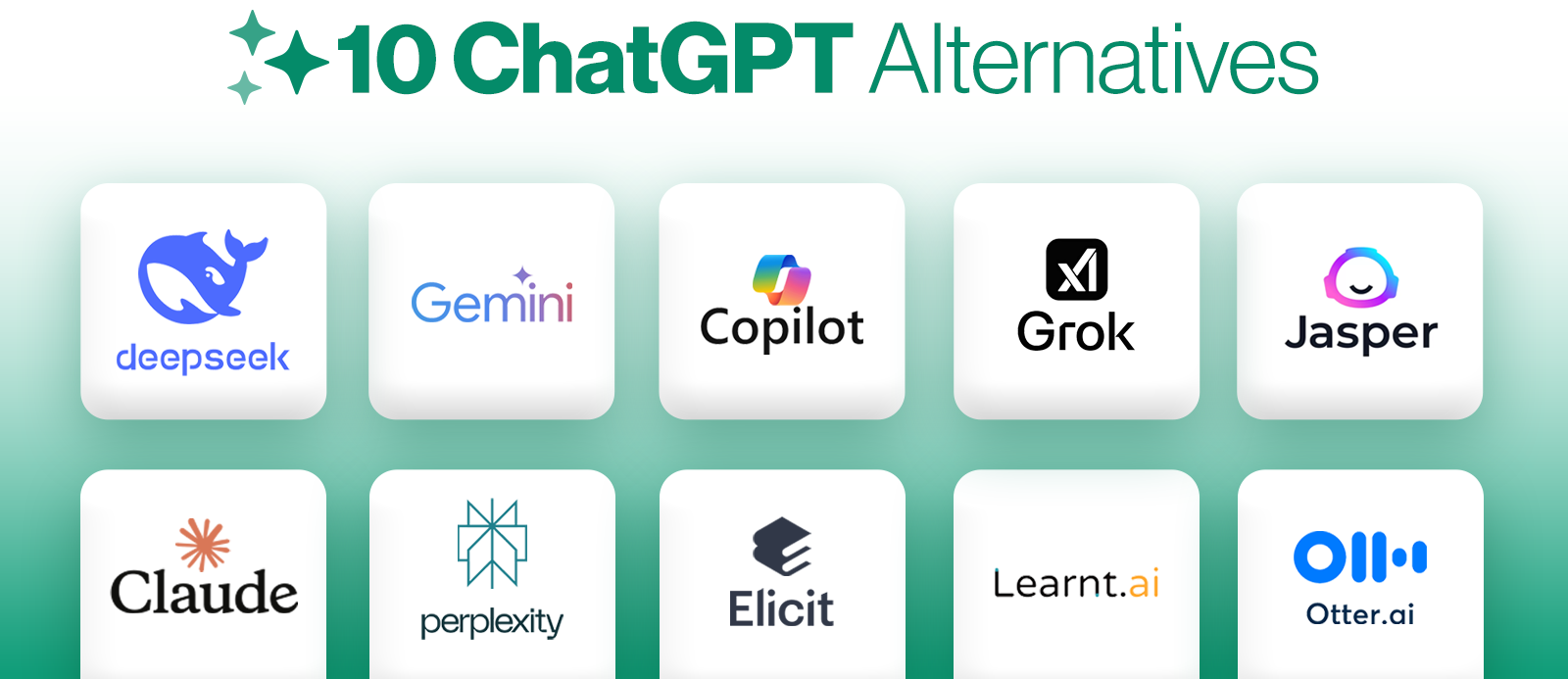
- Grok by xAI Great for real-time trends and less censored, fun ideas. Excellent alternative or complement.
- YouTube Search Suggest & Google Trends Validate ideas. Type your topic in YouTube search bar and see what auto-completes.
- TubeBuddy or vidIQ (Browser extensions) Analyze competition, keyword scores, and tags. Use after ChatGPT generates ideas.
- Notion or Google Sheets Create a master database of ideas with columns: Title, Status, Views (later), Performance.
Key Takeaways & Action Plan
- ChatGPT to Write YouTube Video Ideas is a game-changer for consistent content creation.
- Start simple, be specific in prompts, and always iterate.
- Combine AI speed with your human creativity and authenticity.
Your 10-Minute Action Plan Today:
- Open ChatGPT.
- Use the step-by-step prompt above with your niche.
- Pick your top 3 ideas.
- Outline one video completely.
- Film it this week!
You now have everything you need to never run out of YouTube video ideas again.
FAQs
Q1: Is ChatGPT free to use for generating YouTube ideas?
Yes, the basic version of ChatGPT is completely free. ChatGPT Plus offers faster responses and better features.
Q2: Can ChatGPT really generate good YouTube video ideas?
Absolutely. With the right prompts, it creates catchy, SEO-friendly ideas tailored to your niche.
Q3: How often should I use ChatGPT for video ideas?
Once or twice a month to generate 30–60 ideas in advance.
Q4: Do I need to pay for any tools?
No. You can start with free ChatGPT + YouTube search. Premium tools like TubeBuddy are optional.
Q5: Will YouTube penalize AI-generated ideas?
No. YouTube cares about the final video quality and originality, not how you brainstormed the idea.
Q6: Can beginners with no experience succeed using this method?
Yes! Many new creators use this exact approach to consistently publish content.