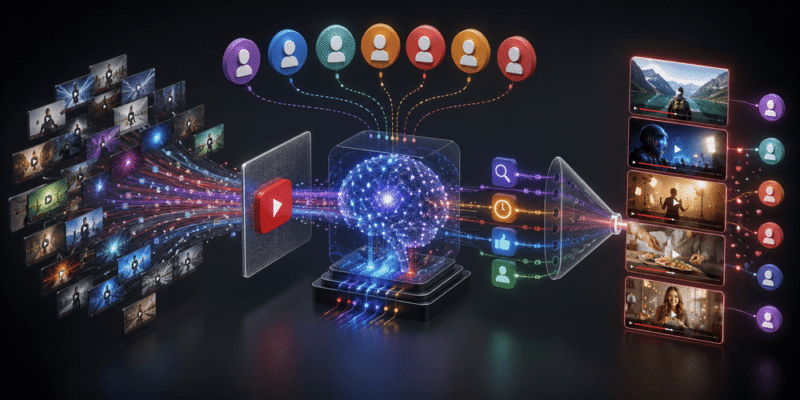

The YouTube algorithm can feel mysterious like a secret code that decides whether your videos get seen by thousands or buried forever. But in 2026, it’s more understandable, fairer for new creators, and focused on one core goal: delivering videos that viewers actually enjoy and keep watching.
What Is the YouTube Algorithm?
The YouTube algorithm is a collection of machine learning systems (not one single rulebook) that recommends videos to keep viewers happy and on the platform longer. It predicts what each person wants to watch next based on their behavior, not just pushing popular content.
Key shift in 2026: Subscriber count, channel age, and watch history matter less. Performance signals from your specific video drive recommendations. New creators get fairer tests, and the focus is on viewer satisfaction over raw views.
YouTube uses different systems for:
- Home page (personalized feed)
- Suggested videos (next to what you’re watching)
- Search results
- Shorts feed
- Notifications and more
Each prioritizes slightly different signals, but they all aim for the same thing: high Click-Through Rate (CTR), strong Audience Retention, and positive Satisfaction signals (likes, comments, shares, rewatches, and not clicking “Not Interested”).
Important Fundamentals Beginners Must Understand
1. It’s a Testing System
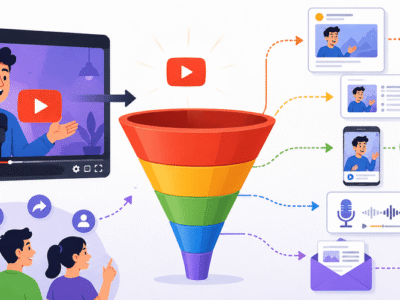
YouTube doesn’t blast your video to everyone immediately. It starts with a small “seed” audience (often similar to your existing viewers or topic-interested people). If metrics look good (high CTR, good retention), it expands to larger groups. Poor performance? It stops pushing.
2. Watch Time Isn’t Everything
Raw watch time still matters, but session contribution is bigger in 2026. This measures how much your video keeps people watching more YouTube afterward. High-retention short videos can outperform low-retention long ones.
3. Relevance + Personalization
YouTube analyzes video content deeply (transcripts, on-screen text, audio) using AI. It matches videos to individual viewer interests, even across languages with auto-captions/dubs.
4. Engagement Signals
- CTR: % of people who click your thumbnail/title.
- Retention curve: How the drop-off looks (steep early drop = bad hook).
- Satisfaction: Post-watch actions like likes, comments, subscribing, or watching another video from your channel.
Real example: A cooking channel uploads a “5-Minute Pasta” video. Eye-catching thumbnail + strong first 15 seconds → high CTR. Viewers watch 80%+ and comment recipes → algorithm pushes it widely.

Step-by-Step Guide to Get Started with the YouTube Algorithm
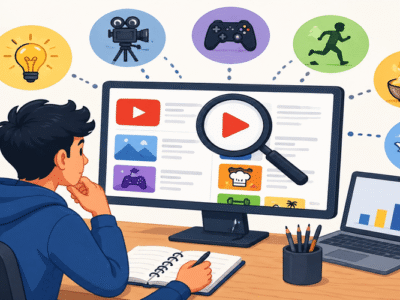
- Choose a Niche and Audience Pick a specific topic where you can be consistent (e.g., “budget travel for families” instead of generic “travel”). Research what your audience searches using YouTube search suggest or tools (more below).
- Create Content That Delivers Plan videos with clear value. Start with a strong hook in the first 3-15 seconds (“In this video, you’ll learn X in under 10 minutes”).
- Optimize for Discovery
- Title: Specific, benefit-driven, includes keywords (e.g., “How to Start a Side Hustle in 2026 (Beginner Guide)”).
- Thumbnail: High-contrast, face + text + emotion. Test 2-3 versions.
- Description: First 100-150 characters matter most. Include timestamps, links, keywords naturally.
- Tags: Mix broad and specific.
- Upload and Monitor Upload consistently (e.g., weekly). Check YouTube Analytics after 48 hours for CTR, retention, and traffic sources.
- Iterate Use data to improve the next video. Double down on what works.
Best Practices and Strategies
Thumbnails and Titles (The Click Magnets)
These drive 70%+ of success early on. Use bold text, bright colors, and curiosity. A/B test with tools.
Hooks and Retention
- First 15 seconds: Promise and deliver.
- Pacing: Cut filler, use B-roll, chapters.
- End screens/cards: Direct to next video or playlist for better session time.
Consistency and Series
Post on a schedule. Create series (e.g., “Weekly Tech Tips”) so viewers return.
Shorts + Long-Form Combo
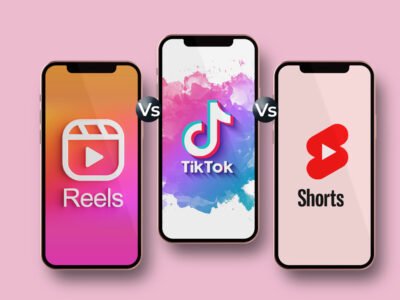
Use Shorts to attract new viewers and funnel them to long-form videos. Shorts have their own fast-testing algorithm but boost overall channel authority.
SEO Best Practices
Research keywords with search volume but lower competition. Include them in title, description, spoken words, and captions.
Actionable Framework: The 80/20 Optimization Checklist
- Before upload: Strong hook? CTR-optimized title/thumbnail? Clear value?
- After 1 week: CTR > 5-10%? Average View Duration (AVD) high? Positive comments?
- Adjust: Repurpose top performers into Shorts or follow-ups.
Common Mistakes Beginners Make
- Clickbait: High CTR but terrible retention → algorithm punishes you.
- Inconsistent posting: Algorithm favors predictable channels.
- Ignoring analytics: Not checking traffic sources or retention graphs.
- Poor audio/video quality: Viewers click away fast.
- Chasing trends without your spin: Generic content gets lost.
- Over-relying on subscribers: New videos get tested independently.
Fix: Always ask, “Would I watch this entire video?”
Practical Examples and Real Use Cases
Example 1: New Tech Reviewer Channel Uploads “Best Budget Laptop 2026” with clear comparison table in video + strong thumbnail. High retention from value → suggested to tech enthusiasts → grows from 100 to 10k subs quickly.
Example 2: Fitness Channel Mixes Shorts (quick workouts) with long-form (full programs). Viewers binge series → higher session contribution → more recommendations.
Use Case for Beginners: Start with “evergreen” content (timeless advice) mixed with trending topics for initial traction.
Tips to Improve Results
- Analyze Retention Graph: Fix drop-off points (e.g., add visuals where people leave).
- Encourage Interaction: Ask questions in videos, use community posts.
- Playlists: Group videos to increase watch time.
- Cross-Promote: Share on other socials, but focus on YouTube-native growth.
- Mobile-First: Most viewers watch on phones test thumbnails/text readability.
- Patience and Data: First 10-20 videos are learning. Track improvements.
Key Takeaways Summary:
- Prioritize viewer enjoyment (CTR + Retention + Satisfaction).
- Test small, deliver big.
- Optimize every element but focus on content quality first.
Top Tools and Resources for 2026
Here are beginner-friendly tools that make algorithm optimization easier:
1. vidIQ Chrome extension and dashboard for keyword research, competitor analysis, CTR predictions, and AI thumbnail ideas. Use it to find low-competition topics and track performance. Great for daily idea generation.
2. TubeBuddy Another powerful browser extension. Excellent for tag suggestions, bulk processing, A/B thumbnail testing, and SEO scoring. Ideal when managing multiple videos.
3. Canva (with Magic Studio AI) Free/pro tool for stunning thumbnails and graphics. AI features help generate ideas fast. Perfect for non-designers.
4. CapCut Free mobile/desktop editor with auto-captions, effects, and trending templates. Speeds up editing while maintaining high retention through engaging visuals.
5. YouTube Studio (Built-in) Your most important free resource. Dive into Analytics for retention curves, traffic sources, and audience insights. Check it religiously after every upload.
Bonus: ElevenLabs for natural voiceovers (disclose AI use per guidelines) and Google Trends/YouTube Search Suggest for free research.
Start with the free tiers many creators grow successfully using just YouTube Studio + one paid tool.
Final Thoughts: Your Algorithm Success Blueprint
The 2026 YouTube algorithm rewards creators who truly understand their audience and deliver consistent value. Focus on making videos you’d love to watch, optimize the basics, study your data, and iterate.
You don’t need fancy equipment or millions of subs to start winning just better hooks, stronger retention, and smarter optimization. Upload your first (or next) video today using this guide, track results, and adjust. Growth compounds over time.
Bookmark this post as your reference. Experiment, stay consistent, and enjoy the process. Your breakthrough video is closer than you think!
FAQs
Q1: Does the YouTube algorithm still favor big channels in 2026?
No. New videos are tested based on performance (CTR + retention), not channel size. Good content from small channels gets pushed.
Q2: What matters most — watch time or CTR?
Both, but CTR (click-through rate) is the first filter. If people don’t click, the algorithm won’t show your video widely.
Q3: How long does it take to see results from the algorithm?
Most videos get their biggest push in the first 48–72 hours. Consistent uploading over 3–6 months shows real growth.
Q4: Are Shorts good for algorithm growth?
Yes! Shorts help you reach new audiences quickly and can funnel viewers to your long-form videos.
Q5: Do I need expensive tools to succeed?
No. YouTube Studio (free) + Canva + one tool like vidIQ or TubeBuddy is enough for most beginners.
Q6: What’s the biggest mistake new creators make?
Using clickbait or ignoring analytics. High CTR with low retention hurts your channel more than steady, honest growth.