
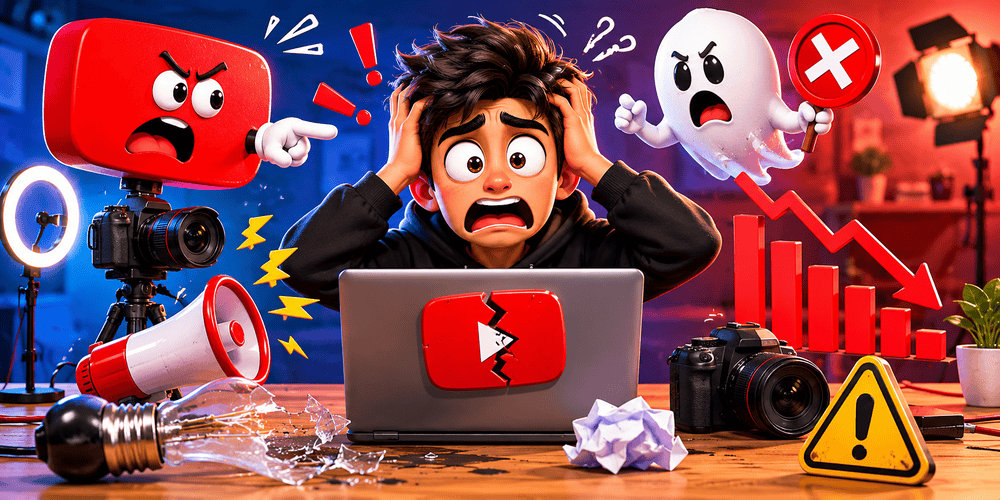
Starting a YouTube channel is exciting. You have ideas, a camera, and dreams of growing an audience. But many beginners unknowingly make YouTube mistakes that slow their growth or lead to burnout.
What Are YouTube Mistakes Beginners Make?
YouTube mistakes beginners refer to common errors new creators commit that hurt channel performance, audience engagement, and long-term growth. These mistakes often stem from misunderstanding how the YouTube algorithm works, poor planning, or unrealistic expectations.
The YouTube algorithm promotes videos based on watch time, audience retention, click-through rate (CTR), and viewer satisfaction. When beginners ignore these signals, their videos get buried.
Key fact: Most new channels fail to reach 1,000 subscribers not because their content is bad, but because of avoidable growth mistakes YouTube creators make early on.
Important YouTube Fundamentals Every Beginner Must Understand
Before avoiding mistakes, master these basics:
- The Algorithm Loves Retention — YouTube rewards videos that keep people watching longer.
- Consistency Beats Perfection — Regular uploads signal to the algorithm that you’re serious.
- Thumbnails and Titles Drive Clicks — Great content with poor packaging gets ignored.
- Niche Selection Matters — Broad topics face heavy competition; specific niches grow faster.
- Analytics Are Your Best Friend — YouTube Studio data shows exactly what’s working.
Step-by-Step Guide to Get Started Right (Avoiding Early Mistakes)
Step 1: Choose Your Niche Wisely
Mistake to avoid: Trying to appeal to everyone. Action: Pick a specific topic you enjoy and have knowledge about. Example: Instead of “Gaming,” choose “Budget Gaming Setups Under ₹30,000 for Indian Students.”
Step 2: Optimize Your Channel Setup
- Create a clear channel name and handle
- Write a compelling “About” section with keywords
- Design a professional banner and logo
- Add links to social media or website
Step 3: Plan Your Content Strategy
Create a simple content calendar. Start with 1 video per week.
Step 4: Master Video Production Basics
Focus on good lighting, clear audio, and engaging storytelling before fancy editing.
Step 5: Upload with Proper Optimization
Use targeted titles, descriptions, tags, and end screens.
10 Common YouTube Mistakes Beginners Make (And How to Fix Them)
1. Inconsistent Upload Schedule
Growth mistake: Uploading randomly or disappearing for weeks. Fix: Choose a realistic schedule (e.g., every Tuesday) and stick to it. Use YouTube’s scheduling feature.
2. Poor Thumbnails and Clickbait Titles
Mistake: Using blurry images or misleading titles. Fix: Create custom thumbnails with bold text, bright colors, and your face (when appropriate). Promise what you deliver.
Actionable Tip: Test 2-3 thumbnail variations using YouTube’s A/B testing (available in 2026).
3. Ignoring Audience Retention
Mistake: Long intros or slow pacing. Fix: Hook viewers in the first 8-15 seconds. Example hook: “I wasted ₹15,000 on gadgets until I learned these 3 mistakes…”
4. Not Using YouTube SEO Properly
Mistake: Stuffing keywords unnaturally or using none. Fix: Research keywords with tools (covered later) and place them naturally in titles, descriptions, and spoken content.
5. Bad Audio Quality
Mistake: Using built-in microphone with heavy background noise. Fix: Invest in a basic USB microphone (₹2,000–5,000 range) early.
6. No Clear Call-to-Actions (CTAs)
Mistake: Forgetting to ask for likes, comments, or subscriptions. Fix: End videos with specific CTAs like “Comment your biggest struggle below” to boost engagement.
7. Treating YouTube Like a Side Hobby
Mistake: Spending only 1-2 hours per week. Fix: Treat it like a real project. Successful beginners often spend 8-15 hours per video initially.
8. Copying Big Creators Exactly
Mistake: Trying to replicate MrBeast-style videos with zero budget. Fix: Study their strategies but adapt to your scale and resources.
9. Neglecting Community Building
Mistake: Only posting videos without interacting in comments. Fix: Reply to every comment in the first 24-48 hours.
10. Giving Up Too Early
Mistake: Quitting after 10-20 videos with low views. Fix: Understand it often takes 50-100 videos to see real traction.
Best Practices and Strategies for YouTube Growth in 2026
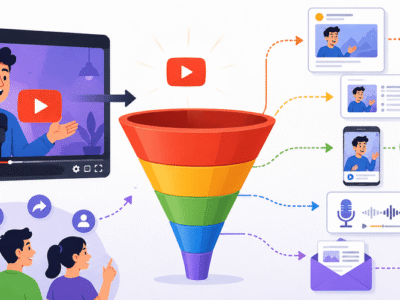
- Shorts + Long-form Strategy: Use YouTube Shorts to attract new viewers, then funnel them to long-form videos.
- Series Creation: Make playlist series (Example: “YouTube Growth Mistakes – Part 1, Part 2”).
- Collaborations: Start with small creators in your niche.
- Trend Jacking: Participate in trending topics relevant to your niche.
- Cross-Promotion: Share videos on Instagram Reels, WhatsApp groups, and Reddit.
Practical Framework: The 80/20 YouTube Rule Spend 20% of time creating and 80% on promotion and optimization in the beginning.
Practical Examples and Real Use Cases
Example 1: A cooking channel in Assam started posting daily 10-minute recipes but saw low retention. After fixing pacing and adding clear ingredients lists in descriptions, average watch time increased by 45%.
Example 2: A tech reviewer used generic titles like “Best Phone 2026.” After switching to “Best Smartphone Under 25K in India 2026 (Real Testing)”, CTR doubled.
Tips to Improve Results and Fix Growth Mistakes YouTube
Here’s a Beginner’s Growth Checklist:
- Upload at least 1 video every week
- Custom thumbnail with text + face
- First 15 seconds hook
- End screen + cards
- Reply to all comments
- Study YouTube Analytics weekly
- Update old videos with better titles/thumbnails
- Create 3-5 Shorts per week
Pro Tip: Batch film 4-5 videos in one day to maintain consistency.
Top Tools and Resources for Beginners in 2026
Here are the best tools every new YouTuber should know:
1. TubeBuddy A browser extension that helps with keyword research, tag suggestions, thumbnail A/B testing, and competitor analysis. Use the free version initially.
2. VidIQ Excellent for real-time keyword difficulty scores and trend alerts. Great for finding low-competition topics.
3. Canva Free and easy tool for creating professional thumbnails, channel art, and end screens. Use their YouTube template library.
4. CapCut Free mobile and desktop editor popular in 2026. Perfect for beginners with auto-captions, effects, and trending sounds.
5. Notion or Google Sheets For content planning and tracking video performance. Create a simple database with columns for topic, upload date, views, and retention %.
Bonus Resource: YouTube Creator Academy (free official courses).
Key Takeaways – Your YouTube Success Checklist
- Avoid the 10 common YouTube mistakes beginners by planning properly.
- Focus on audience retention and consistent uploading.
- Use the right tools from day one.
- Study your analytics and keep improving.
- Be patient real growth compounds over months.
Starting YouTube in 2026 is actually better than ever because tools are more accessible and the platform rewards authentic creators.
Final Action Step: Choose one mistake from this list you’re currently making and fix it in your next video. Then publish it on a fixed schedule.
You now have a complete roadmap. Stop guessing and start growing.
FAQs
Q1: What are the most common YouTube mistakes beginners make?
A: The top mistakes are inconsistent uploading, poor thumbnails, bad audio quality, weak hooks, and ignoring YouTube analytics.
Q2: How many videos should a beginner upload per week?
A: Start with 1 high-quality video per week. Consistency matters more than quantity in the beginning.
Q3: Do YouTube Shorts help channel growth?
A: Yes! Shorts are excellent for gaining new subscribers and attracting traffic to your long-form videos.
Q4: How long does it take to grow a new YouTube channel?
A: Most beginners see noticeable growth after 50–100 videos, if they stay consistent and learn from analytics.
Q5: What tools do beginner YouTubers need?
A: Start with Canva (thumbnails), CapCut (editing), and TubeBuddy or VidIQ (SEO and keyword research).
Q6: Should I use clickbait titles?
A: No. Clickbait may give short-term views but hurts audience retention and long-term channel growth.