
If you’re just starting out on YouTube and want to grow fast with short-form videos, understanding the YouTube Shorts algorithm is the single most important thing you can do. This guide explains exactly how the algorithm works in 2026, why some Shorts explode to millions of views while others get almost none, and most importantly what you can do right now to make it work for your channel. No fluff, no outdated tips. Just practical, step-by-step advice that beginners can use immediately.
By the end of this post, you’ll feel confident posting your first Shorts and have a clear system to improve them over time.
What Is the YouTube Shorts Algorithm and How Does It Work?
The YouTube Shorts algorithm is the behind-the-scenes system that decides which Shorts appear in millions of users’ feeds every day. It’s separate from the long-form video algorithm and works like a smart matchmaker: it studies what each viewer likes and tries to show them the most entertaining Shorts possible.
Here’s the simple 2026 version:
- Explore Phase (The Test) When you upload a Short, YouTube doesn’t show it to everyone at once. Instead, it picks a small “seed audience” people whose past watching habits suggest they might like your content. This usually happens in the first few hours.
- Exploit Phase (The Push) If that small group watches, rewatches, likes, comments, or finishes the video (instead of swiping away), the algorithm pushes your Short to a much bigger audience. If they swipe away quickly, the push stops and your views stay low.
Key signals the algorithm watches in 2026:
- Viewed vs. Swiped Away (the #1 metric you can see in YouTube Studio)
- Watch time and audience retention (how much of your Short people actually watch)
- Replays/loops
- Likes, comments, shares, and saves
- How well your topic matches the viewer’s history
Unlike subscriber count, these behavioral signals matter most at the beginning. Even brand-new channels can go viral if the first viewers love the Short.
2025–2026 update you need to know: Views now count the moment someone starts playing or replays your Short (even loops). But only engaged views help with monetization and further distribution.
Important Fundamentals Beginners Must Understand
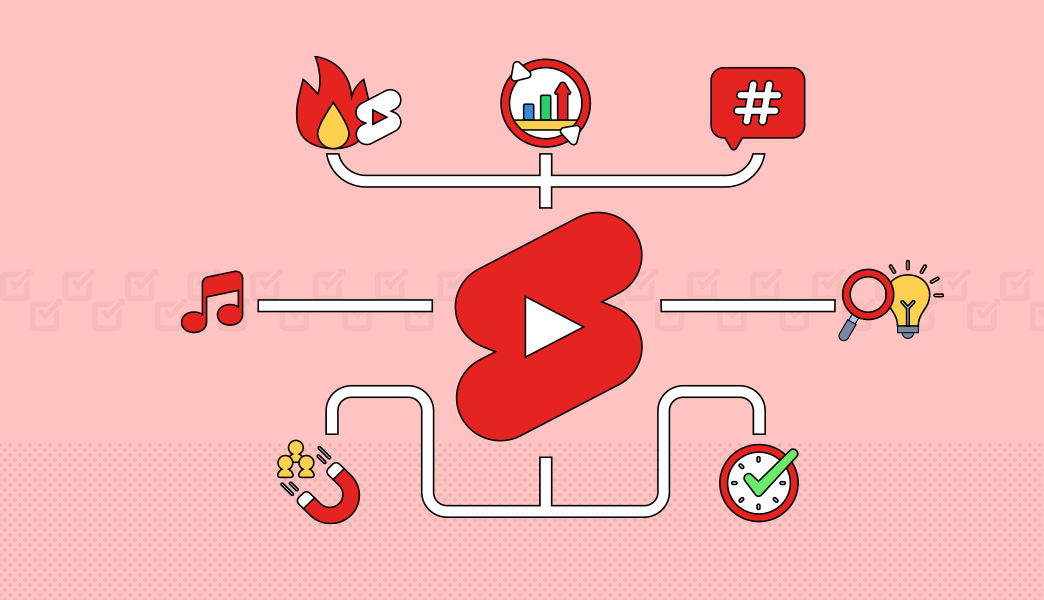
Before you film anything, lock in these basics:
- Shorts are vertical (9:16) and up to 3 minutes long, but 15–60 seconds usually perform best.
- The algorithm rewards retention, not just views. A 15-second Short that 80% of people watch fully beats a 60-second one that people swipe away at 5 seconds.
- Consistency beats perfection. Posting 3–7 Shorts per week builds momentum faster than one perfect video every month.
- Your first 1–3 seconds are make-or-break. If viewers don’t get hooked immediately, they swipe.
Step-by-Step Guide to Get Started with the YouTube Shorts Algorithm
Follow this exact checklist for your first 10 Shorts:
- Set up your channel
- Use a clear profile picture and banner.
- Write a channel description with your main topics and keywords.
- Create your first Short
- Open the YouTube app → tap the “+” → “Create a Short”.
- Or film in CapCut (more on tools below) and upload.
- Hook in the first 3 seconds Example: Instead of “Today I’m going to show you how to make coffee,” start with “This one mistake ruins 90% of home coffee!”
- Add text on screen, fast cuts, and trending audio (if it fits).
- Write a strong title and description
- Title: Use the main keyword + hook (e.g., “YouTube Shorts Algorithm Hack 2026 🔥”).
- Description: First 2 lines should include keywords and a call-to-action.
- Upload at peak times (check YouTube Studio → Analytics → Audience).
- Turn off “Publish to subscribers” for the first few weeks (this prevents low-engagement subs from hurting your initial test).
- Check analytics after 24–48 hours and double down on what works.
Best Practices and Strategies
- Post consistently (aim for daily or every other day).
- Use trends but add your unique spin.
- End with a clear call-to-action: “Comment ‘YES’ if this helped!”
- Keep energy high — talk fast, use face reactions, text overlays, and zooms.
- Repurpose your long-form videos into Shorts (one long video can become 5–10 Shorts).
Shorts Viral Tips and Shorts Growth Hacks
Want to increase your chances of going viral? These shorts viral tips and shorts growth hacks are working right now in 2026:
- The Loop Hack: End your Short so it feels natural to replay (e.g., “Wait for it…” or a satisfying before/after).
- The 3-Second Rule: Test every Short by asking: Would I keep watching after 3 seconds?
- Series Strategy: Post Part 1, Part 2, etc. The algorithm loves when viewers come back.
- Comment Bait: Ask a specific question that’s easy to answer.
- Cross-promote: Share your Short on Instagram Reels and TikTok with a link back to YouTube.
- Batch create 7–10 Shorts at once so you never run out of content.
- Watch-time multiplier: Make the last 2 seconds so good that people rewatch the whole thing.
Common Mistakes Beginners Make (and How to Fix Them)
| Mistake | Why It Kills Your Reach | Fix |
|---|---|---|
| Weak or no hook | High swipe-away rate | Start with the payoff or biggest promise |
| Posting at random times | Misses active audience | Check Studio analytics for best times |
| Ignoring “Viewed vs Swiped Away” | Can’t improve what you don’t measure | Check every Short after 48 hours |
| Copying trends exactly | Algorithm sees it as low originality | Add your face, voice, or unique twist |
| Inconsistent posting | Algorithm loses interest in your channel | Create a simple content calendar |
| No text on screen | Viewers watch without sound | Add big, readable captions |
Practical Examples and Real Use Cases
Example 1 – Educational niche A teacher posts: “Most students fail exams because of THIS study mistake” (hook) → quick 30-second tip → “Comment ‘STUDY’ for Part 2.” Result: High retention → algorithm pushes to students searching study tips → channel grows 5,000 subs in a week.
Example 2 – Faceless channel Using Crayo AI, a finance creator turns a 10-minute podcast into 8 Shorts with AI voiceover and captions. One Short explaining “Why your money is losing value in 2026” gets 1.2 million views.
Example 3 – Gaming A gamer records a funny fail, adds dramatic zoom and text “I can’t believe this happened 😂”. Loops perfectly. Goes viral with 3+ million views.
Tips to Improve Results with the YouTube Shorts Algorithm
- Track your best-performing topics and make more of them.
- Reply to every comment in the first 24 hours (boosts engagement signals).
- Use YouTube’s built-in analytics + extra tools (below).
- Experiment with length: 15s for hooks, 45–60s for storytelling.
- Always test thumbnails even for Shorts when they appear outside the feed.
Top Tools and Resources for YouTube Shorts in 2026
Here are the exact tools beginners are using successfully right now:
- CapCut (Free) The #1 mobile and desktop editor for Shorts. Auto-captions, trending effects, templates, and one-click export to YouTube. Perfect for beginners who want pro-looking videos fast. Use it to add text, music, and transitions in minutes.
- Crayo (AI-powered) Upload a long video or YouTube link and it automatically creates dozens of viral-ready Shorts with captions, effects, background music, and even AI voiceovers. Ideal when you don’t have time to edit manually or want faceless content. Great for repurposing long videos.
- I am Creator (AI analytics) More powerful than YouTube Studio alone. Gives deep insights, AI SEO suggestions, keyword research, and content scoring. Use it to find what your audience actually wants before you film.
- Social Blade (Free) Track your own channel growth and spy on competitors. See daily subscriber and view estimates to understand what’s working in your niche.
Start with CapCut + YouTube Studio. Add Crayo and I am Creator as you grow.
Key Takeaways – Your YouTube Shorts Algorithm Action Plan
- The algorithm tests every Short with a small audience first.
- Retention and “Viewed vs. Swiped Away” are your most important metrics.
- Hook in the first 3 seconds, post consistently, and study your analytics.
- Use the right tools (CapCut, Crayo, etc.) to save time and look professional.
- Focus on creating value and entertainment the algorithm will reward you.
You now have everything you need to start succeeding with the YouTube Shorts algorithm in 2026. Don’t overthink your first video just post it, check the analytics after two days, and improve the next one.
Frequently Asked Questions About the YouTube Shorts Algorithm in 2026
1. What is the YouTube Shorts algorithm and how does it work?
The YouTube Shorts algorithm tests every new Short with a small “seed audience” first. If viewers watch, replay, like, or comment instead of swiping away, it pushes the Short to more people. The two main phases are Explore (initial test) and Exploit (bigger push if it performs well). Key signals include “Viewed vs. Swiped Away,” retention rate, and replays.
2. How long should my YouTube Shorts be in 2026? You can upload up to 3 minutes, but most viral Shorts perform best between 15–60 seconds. Aim for 15–35 seconds if you want maximum retention. Shorter is better only if the idea feels complete and keeps viewers hooked.
3. How often should beginners post YouTube Shorts? Post 3–7 Shorts per week to start. Consistency helps the algorithm learn your channel and build momentum. Daily posting is ideal once you have a simple workflow.
4. Do YouTube Shorts help with channel growth and subscribers?
Yes! A single high-performing Short can bring thousands of new viewers and subscribers overnight. Shorts are one of the fastest discovery tools in 2026, especially for new channels.
5. Why do my YouTube Shorts stop getting views suddenly?
This usually means the Short reached its “exploit ceiling.” The algorithm tested it with a small audience and the retention or engagement wasn’t strong enough to push it further. Fix: Improve your hook, add better text overlays, and focus on replays.
6. What is the most important metric for YouTube Shorts?
“Viewed vs. Swiped Away” is the #1 metric you can see in YouTube Studio. High completion rate and replays also strongly influence distribution.
7. Should I use trending audio in every Short?
Only if it fits your content naturally. Trending audio can help, but a strong hook, clear value, and good retention matter more. Always add your unique twist so the algorithm doesn’t see it as low-originality content.
8. Which tools are best for creating YouTube Shorts as a beginner?
- CapCut → Best free editor with auto-captions, templates, and effects.
- Crayo → AI tool that turns long videos into multiple ready-to-post Shorts.
- YouTube Studio → For analytics and “Viewed vs. Swiped Away” data. Start with CapCut + YouTube’s built-in creator tools.