
AI has transformed YouTube content creation in 2026. What once took days of tedious work scripting, editing, designing thumbnails, and optimizing for search can now be done in hours with smart tools. Whether you’re a complete beginner with a smartphone or an aspiring full-time creator, these AI tools help you produce higher-quality videos faster, grow your channel smarter, and avoid burnout.
What Are AI Tools for YouTubers and How Do They Work?
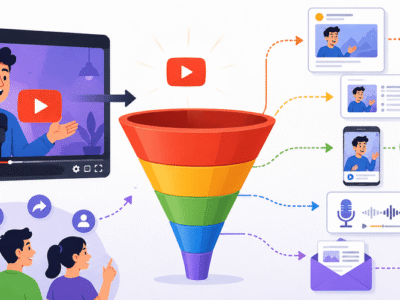
AI tools for YouTubers use machine learning to automate or enhance tasks. They analyze data (like top videos or trends), generate content (scripts or images), or edit media based on prompts.
Key ways they help:
- Idea and script generation: Analyze successful videos and create outlines.
- Visuals and editing: Turn text into clips, remove silences, or add effects.
- Optimization: Suggest titles, tags, and thumbnails for better reach.
- Voice and avatars: Create natural narration or on-screen presenters.
Most tools work via web interfaces or apps. You input text/commands, and AI outputs results you refine. Many offer free tiers with paid upgrades for more features or higher quality.
Important Fundamentals Beginners Must Understand
Before diving in, grasp these basics:
- Prompt Engineering: Clear, specific instructions yield better results. Example: Instead of “Write a script about fitness,” say “Write a 10-minute YouTube script for beginners on home workouts, with a strong hook, 3 exercises with timestamps, and a CTA to subscribe. Include engaging storytelling.”
- YouTube Algorithm Basics: AI excels at trends and SEO, but success needs consistency, audience value, and thumbnails/hooks that boost click-through rates (CTR).
- Free vs. Paid: Free tools suit starters; paid unlocks faster generation, better quality, or analytics.
- Ethical Use: Disclose AI-generated elements if needed (e.g., voiceovers). Focus on your unique voice and value.
- Workflow Integration: Combine tools e.g., script with ChatGPT, edit with Descript, optimize with VidIQ.
Beginner Checklist:
- Define your niche and posting schedule.
- Set up a free Google account and YouTube channel.
- Experiment with one tool per category first.
Step-by-Step Guide to Get Started with AI Tools for YouTubers
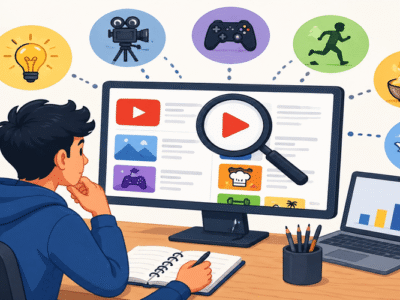
- Brainstorm Ideas: Use research tools for trending topics.
- Write Scripts: Generate drafts and refine.
- Create Visuals: Design thumbnails and gather B-roll.
- Record/Edit Video: Use AI for audio cleanup and cuts.
- Optimize & Publish: Generate titles, descriptions, tags.
- Analyze & Iterate: Review performance and improve.
Start small: Produce one short video using 2-3 tools.
Best AI Tools for YouTubers in 2026 (Categorized)
Here are top free + paid options with use cases.
1. Script Writing & Idea Generation
- ChatGPT (Free + Paid ~$20/mo): Versatile for ideas, outlines, hooks, and full scripts. Great for beginners. Prompt it with your niche and video length.
- Claude AI (Free tier strong): Excellent for long, structured scripts with natural flow. Use for detailed storytelling.
- Subscribr or Poppy AI (Paid, starting ~$7-20/mo): YouTube-specific. Analyzes competitors and data for high-potential scripts and ideas. Ideal when scaling.
- VidIQ (Free + Paid): Built-in idea generator and keyword research tied to real YouTube data.
When to use: Early planning stage. Combine ChatGPT (free brainstorming) with Subscribr for data-driven refinement.
2. Thumbnails & Graphics
- Canva Magic Studio (Free + Pro ~$13/mo): AI background removal, text-to-image, templates optimized for YouTube. Drag-and-drop easy for beginners.
- Pikzels or ThumbnailAI: Scores thumbnails for virality and generates variations.
Tip: Test 3-5 versions; use bold faces, text, and contrasting colors.
3. Video Editing & Production
- CapCut (Free): Mobile/desktop editor with AI auto-captions, effects, and templates. Perfect for Shorts and beginners.
- Descript (Paid, ~$24/mo): Edit video by editing text transcript. Remove “ums,” clone voice (Overdub). Game-changer for talking-head videos.
- Opus Clip (Free + Paid ~$19/mo): Turns long videos into viral Shorts/Clips automatically with scoring.
- InVideo or Runway (Paid): Text-to-video, B-roll generation, advanced AI editing. Runway shines for creative effects/generations.
- HeyGen or Synthesia: AI avatars for faceless channels.
Actionable Strategy: Record raw footage → Descript for editing → Opus Clip for repurposing.
4. Voiceovers & Audio
- ElevenLabs (Free tier + Paid ~$22/mo): Hyper-realistic voices, cloning, emotion control. Best for professional narration.
- Adobe Podcast Enhance (Free): Cleans up audio quickly.
5. SEO, Analytics & Growth
- VidIQ or TubeBuddy (Free + Paid ~$10/mo): Keyword research, title/description suggestions, competitor analysis, tag optimization. Essential for discoverability.
Pro Tip: Use these before filming to target searchable topics.
Practical Examples and Real Use Cases
Example Workflow for a “Beginner Fitness Tips” Video:
- VidIQ: Find keywords like “home workouts for beginners 2026”.
- ChatGPT/Subscribr: Generate script with hook (“I lost 10kg without gym…”), exercises, and CTA.
- ElevenLabs: Create voiceover.
- CapCut/Descript: Assemble footage + captions.
- Canva: Design thumbnail (“5 Easy Moves to Start Today!”).
- VidIQ: Optimize title/tags.
Faceless Channel: Use InVideo/Pictory to turn blog posts/scripts into videos with stock footage and AI voice.
Shorts Creator: Film long video → Opus Clip for 10+ clips.
Best Practices and Strategies
- Batch Content: Generate 4-5 scripts at once.
- Human + AI Hybrid: Always edit AI output for your personality.
- A/B Testing: Use AI to create variations, then test what performs.
- Consistency Framework: Plan 1 long-form + 3-5 Shorts weekly using repurposing tools.
- Monetization Focus: Target evergreen topics AI helps research.
Weekly Action Plan:
- Monday: Idea research + scripting (2 hours with AI).
- Tuesday-Wednesday: Record/edit.
- Thursday: Thumbnails + optimization.
- Friday: Publish and promote.
Common Mistakes Beginners Make
- Over-relying on AI without personal touch → Generic content.
- Ignoring SEO → Great videos with zero views.
- Using too many tools at once → Overwhelm.
- Skipping analytics → No improvement.
- Poor prompts → Subpar outputs.
Fix: Start with free tiers, follow one workflow, review YouTube Analytics weekly.
Tips to Improve Results with AI Tools
- Refine prompts iteratively: Add “make it engaging, conversational, under 8 minutes.”
- Combine tools: AI script → Human recording → AI edit.
- Stay updated: AI evolves fast check tool blogs or YouTube for new features.
- Focus on value: AI speeds production; your insights retain viewers.
- Track ROI: Measure time saved and views gained per tool.
- Community: Join Reddit (r/PartneredYoutube) or creator forums for tips.
Key Takeaways and Next Steps
AI tools in 2026 make YouTube accessible for anyone with ideas and consistency. Start with free stack: ChatGPT + CapCut + Canva + VidIQ free tier. Upgrade as you grow.
Your 7-Day Challenge:
- Pick a niche topic.
- Use ChatGPT for script.
- Edit in CapCut.
- Design thumbnail in Canva.
- Optimize with VidIQ.
- Upload and analyze.
- Repeat and refine.
Disclaimer: Tool pricing/features can change; always verify on official sites. Affiliate links may be used but opinions are independent.
FAQs
Q1: Are these AI tools free?
A: Many have generous free tiers (ChatGPT, CapCut, Canva, VidIQ). Paid plans ($10–25/mo) unlock faster generation, better quality, and advanced features.
Q2: Do I need video editing experience to use these tools?
A: No. Tools like CapCut and Descript are beginner-friendly. You can start with simple drag-and-drop or text-based editing.
Q3: Can AI tools help faceless YouTube channels?
A: Absolutely. Use InVideo, HeyGen, or Synthesia for AI avatars/voiceovers and stock footage to create full videos without showing your face.
Q4: Which tool should a complete beginner start with?
A: Begin with ChatGPT (scripting) + CapCut (editing) + Canva (thumbnails) + VidIQ free tier (SEO). This free stack covers the full workflow.
Q5: Will using AI hurt my YouTube channel?
A: No, if you add your personal touch. Always edit AI-generated content to sound like you. YouTube values originality and audience engagement.
Q6: How much time can AI tools save?
A: Most creators report saving 50-70% of production time turning a 10-hour video into 3-4 hours.