
Free tools for YouTubers make it possible for beginners to create professional-looking videos, optimize content for growth, and manage channels without spending money. In 2026, these youtube free resources and tools list options help new creators compete effectively with minimal barriers.
What Are Free Tools for YouTubers?
Free tools for YouTubers are software, websites, and built-in features that assist with video creation, editing, thumbnail design, SEO, analytics, and promotion at no cost. Many offer free tiers with generous limits suitable for starting and growing channels.
These tools work by simplifying complex tasks. For example, instead of buying expensive software, you can use browser-based editors or AI helpers. The key is combining them into a workflow: research ideas → script and record → edit → design thumbnail → optimize and upload → analyze results.
Important Fundamentals Beginners Must Understand
Before diving into tools, grasp these basics:
- Consistency beats perfection: Post regularly using free tools rather than waiting for paid upgrades.
- YouTube favors search and watch time: Tools help find searchable topics and create engaging videos.
- Thumbnails and titles drive clicks: Viewers decide in seconds.
- Analytics guide improvement: Data shows what works.
- SEO matters from day one: Keywords in titles, descriptions, and tags help videos appear in search.
Start small. Focus on one video per week while learning tools gradually.
Step-by-Step Guide to Get Started with Free Tools for YouTubers
- Set Up Your Channel Basics Go to YouTube Studio (studio.youtube.com). Verify your account and create a simple channel banner and profile picture using Canva.
- Find Video Ideas Use YouTube search autocomplete and Google Trends to identify topics.
- Plan and Script Use ChatGPT or Google Gemini for outlines and scripts.
- Record Your Video Use your phone or free webcam software. Record in a quiet space.
- Edit the Video Import footage into a free editor like CapCut or DaVinci Resolve.
- Create Thumbnail Design in Canva.
- Optimize and Upload Use VidIQ or TubeBuddy free tiers for keyword suggestions. Upload via YouTube Studio.
- Analyze and Improve Check performance in YouTube Studio after 48 hours.
Repeat this process for every video.
Best Free Tools for YouTubers in 2026
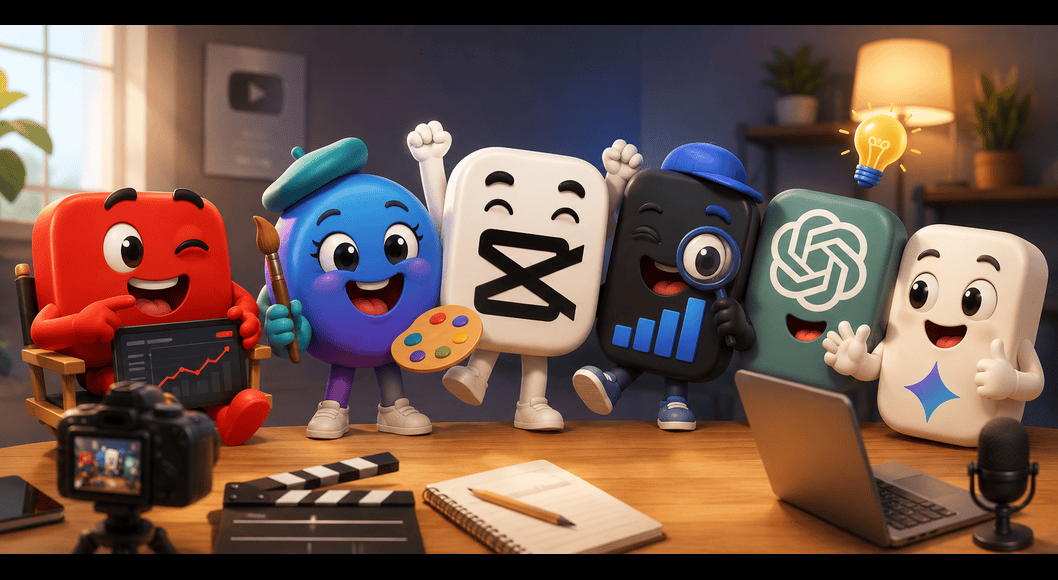
Here are top youtube free resources categorized for easy use. Each includes what it does and beginner tips.
1. YouTube Studio (Built-in Analytics & Management)
YouTube Studio is the official dashboard. It provides accurate analytics on views, watch time, audience retention, traffic sources, and more. Use it to manage comments, schedule videos, and create end screens/cards.
When to use: Daily for uploads and weekly for performance reviews. Beginner tip: Click “Analytics” → “Content” to see which videos retain viewers longest. Adjust future scripts accordingly.
2. Canva (Thumbnails, Banners, and Graphics)
Canva offers thousands of free templates, stock photos, and AI tools for eye-catching designs. Resize images easily for YouTube needs (1280×720 pixels recommended for thumbnails).
When to use: Every video for thumbnails and channel art. How to use effectively: Search “YouTube thumbnail” templates. Add bold text, your face (if on-camera), and contrasting colors. Export as PNG for sharpness.
Actionable tip: Test 2-3 thumbnails using YouTube’s built-in A/B testing feature.
3. CapCut (Video Editing)
CapCut is a free, user-friendly editor with AI features like auto-captions, effects, background removal, and templates. Available on mobile and desktop.
When to use: For quick Shorts or full videos with trendy effects. Step-by-step example: Import clips → Add transitions → Generate auto-captions → Export in 1080p. Beginners can finish a 10-minute video in under an hour.
Alternative: DaVinci Resolve for more advanced free editing (color grading, audio tools) on desktop.
4. VidIQ or TubeBuddy (Free Tiers for SEO & Research)
These browser extensions show keyword difficulty, search volume, competitor data, and optimization scores directly on YouTube.
VidIQ strengths: Strong keyword research and analytics overlays. TubeBuddy strengths: Tag suggestions and bulk processing.
When to use: Before every video for title, description, and tags. Practical example: Search a topic in VidIQ. Pick a keyword with decent volume and low competition (e.g., “beginner Canva tutorial 2026” instead of “Canva tutorial”).
5. ChatGPT / Google Gemini (Scripting & Idea Generation)
These AI tools generate video ideas, full scripts, titles, descriptions, and even tag lists.
How to use: Prompt example: “Write a beginner-friendly 8-minute YouTube script on best free tools for YouTubers with engaging hook and call to action.” Refine outputs yourself for authenticity.
Tip: Always add your unique voice and personal examples.
Additional Essential Free Resources
- Pexels / Pixabay: Royalty-free stock videos and images for B-roll.
- Photopea: Free Photoshop alternative for advanced image editing.
- Google Trends: Compare topic popularity over time and regions.
- Adobe Podcast (Enhance Speech): Free AI tool to clean up audio quality.
- Social Blade: Track your channel and competitors’ growth estimates.
Best Practices and Strategies
- Workflow Framework: Research (VidIQ + Trends) → Script (AI) → Record → Edit (CapCut) → Thumbnail (Canva) → Optimize (VidIQ) → Publish → Analyze (Studio).
- Create a content calendar in Google Sheets.
- Focus on long-tail keywords for easier ranking.
- Use consistent branding across thumbnails.
- Engage in comments using YouTube Studio to boost algorithm signals.
- Repurpose content: Turn long videos into Shorts with CapCut.
Checklist for Every Video:
- Keyword in title, first 100 characters of description, and tags.
- Custom thumbnail with text and face.
- Auto-captions enabled and reviewed.
- End screen with subscribe prompt.
- Description with timestamps and links.
Common Mistakes Beginners Make
- Ignoring keyword research and uploading random videos.
- Using blurry or text-heavy thumbnails without contrast.
- Poor audio quality (fix with free noise removal tools).
- Not checking analytics, so repeating ineffective styles.
- Over-relying on AI without adding personal touch.
- Uploading without end screens or cards.
Avoid these by reviewing one video’s performance before making the next.
Practical Examples and Real Use Cases
Case 1: Tech Review Channel A beginner uses VidIQ to find “best budget laptop 2026 under 50000”. Scripts with ChatGPT, edits in CapCut adding B-roll from Pexels, designs thumbnail in Canva showing the laptop and price. Result: Steady views from search.
Case 2: Tutorial Channel Creator records screen with free OBS Studio, edits in DaVinci Resolve, adds voiceover cleaned by Adobe Podcast. Uses TubeBuddy for tags. Analytics show high retention in step-by-step sections, so future videos expand those parts.
Tips to Improve Results with Free Tools for YouTubers
- Experiment and track: Change one element (title style, thumbnail color) per video and measure impact.
- Study competitors: Use VidIQ to analyze top videos in your niche.
- Build playlists for better session time.
- Post at consistent times based on your audience analytics.
- Cross-promote on free platforms like Reddit or X if relevant.
- Update old videos with better thumbnails/titles using insights from new tools.
- Join free YouTube creator communities for feedback.
Key Takeaways
Free tools for YouTubers in 2026 provide everything needed to start and grow a channel professionally. Master YouTube Studio, Canva, CapCut, and VidIQ first. Focus on valuable content, consistent optimization, and learning from data.
This tools list and strategies form a complete starter system. Apply them immediately to your next video. Track progress over 30 days you will see improvement in quality and views.
FAQs
Q1: What are the best free tools for YouTubers in 2026?
The top free tools include YouTube Studio, Canva, CapCut, VidIQ (free tier), and ChatGPT/Google Gemini.
Q2: Can beginners grow a YouTube channel using only free tools?
Yes. Many successful creators started with completely free youtube free resources and tools list like CapCut and Canva.
Q3: Which free video editor is best for beginners?
CapCut is the easiest for beginners due to its simple interface, auto-captions, and templates. DaVinci Resolve is better for advanced users.
Q4: Are VidIQ and TubeBuddy really free?
Yes, both offer generous free tiers that are sufficient for most new YouTubers.
Q5: How do I create good YouTube thumbnails for free?
Use Canva. Choose a YouTube thumbnail template, add bold text, your face, and bright colors.
Q6: Do these free tools really help with YouTube growth?
Absolutely. Proper use of keyword tools, thumbnails, and editing improves click-through rate, watch time, and search rankings.